
What you need to know:
ProConnect's Business Call Center is a carrier-class communications management product fully integrated that provides Automatic Call Distribution functionality.

1.
Set your ACD state
You can view or change your ACD state by following these steps:
- Within the report toolbar, click the agent controls icon.
- Select Set Status and choose one of the following:
- Available - You're ready to accept ACD calls and other interactions.
- Wrap-up - You're completing work from your previous interaction and unavailable to answer ACD calls.
- Not Available - You're unavailable to accept ACD calls. You can select a reason code: No Reason, Lunch, or Meeting.
Note: Before you can use Not-Available codes, your administrator must configure the list of code values in the telephony platform and set up the associated phone endpoints.
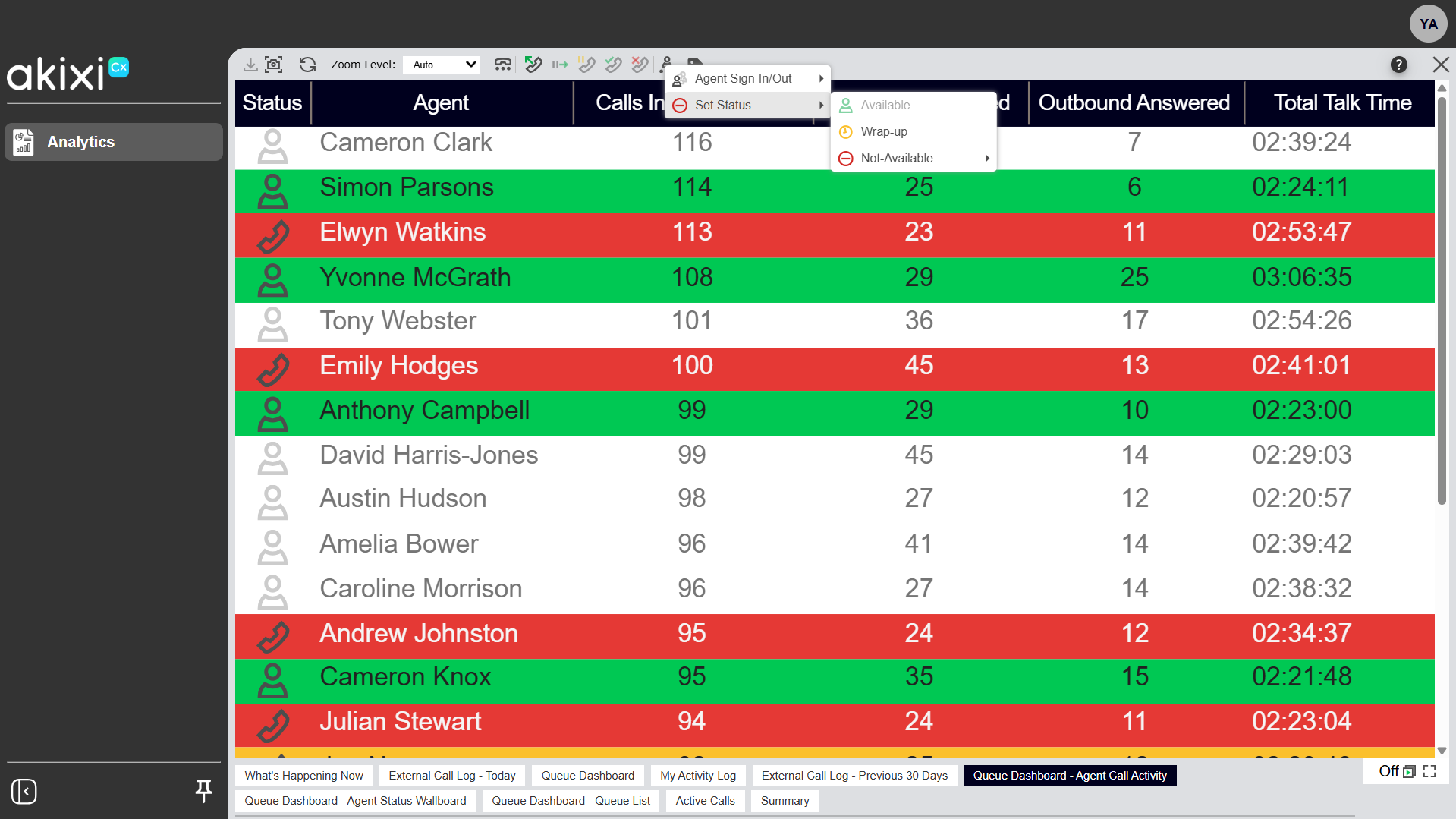
Click image for large view
You can also change your own availability status using keyboard shortcuts. Use Ctrl+Shift+A to set yourself as available, or Ctrl+Shift+U to set yourself as unavailable.