Introduction
Enhanced 911 (E911) ensures emergency responders receive accurate location information when a 911 call is placed, helping them reach you quickly and safely.
Update E911 information
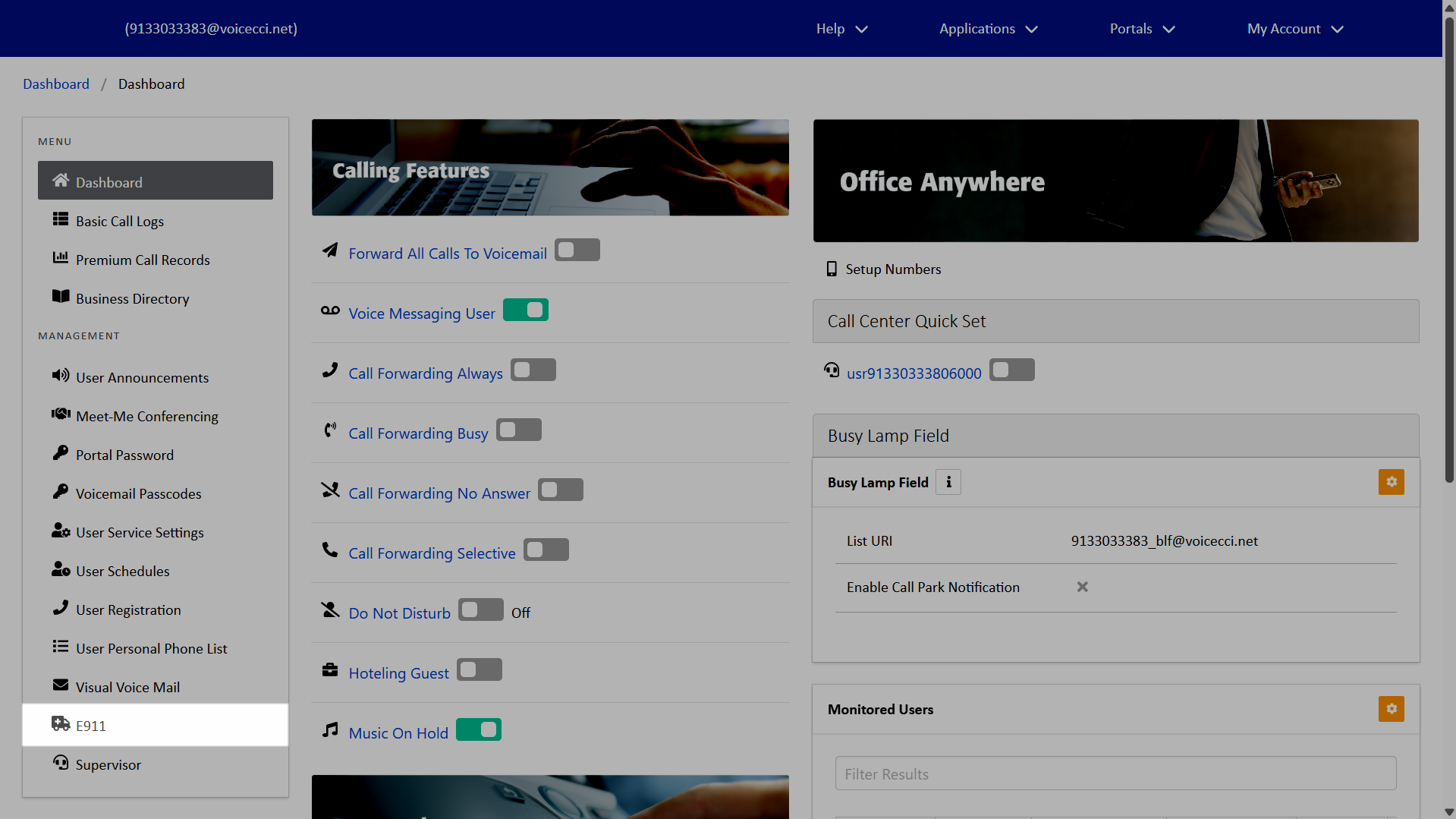
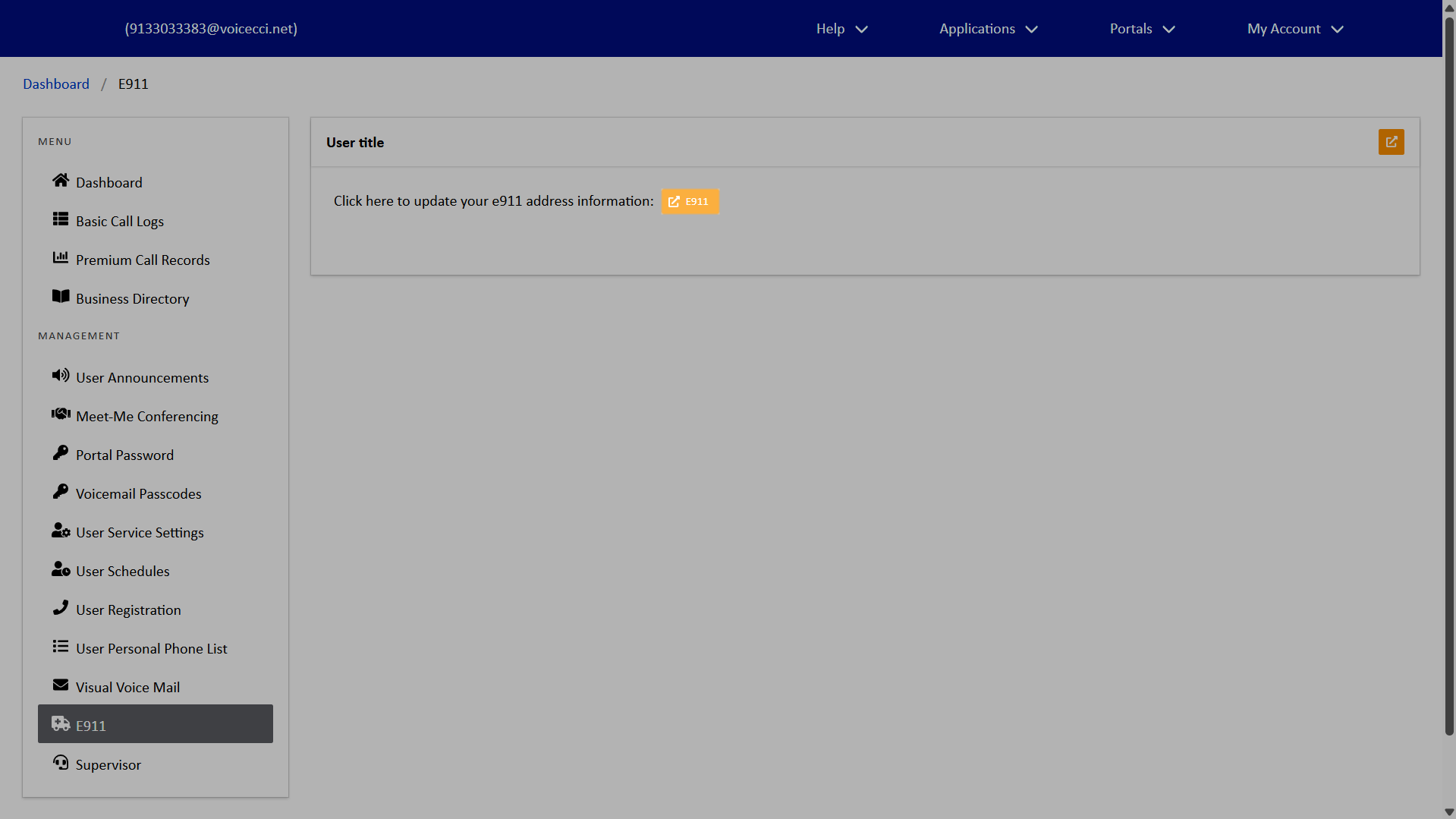
End users can manage their E911 settings to keep phone numbers and associated addresses current as work locations or devices change. These settings give users direct control over the accuracy of the information shared during an emergency call. To update your E911 settings, follow these steps:
- From the dashboard menu, select E911.
- Click the Open E911 icon.
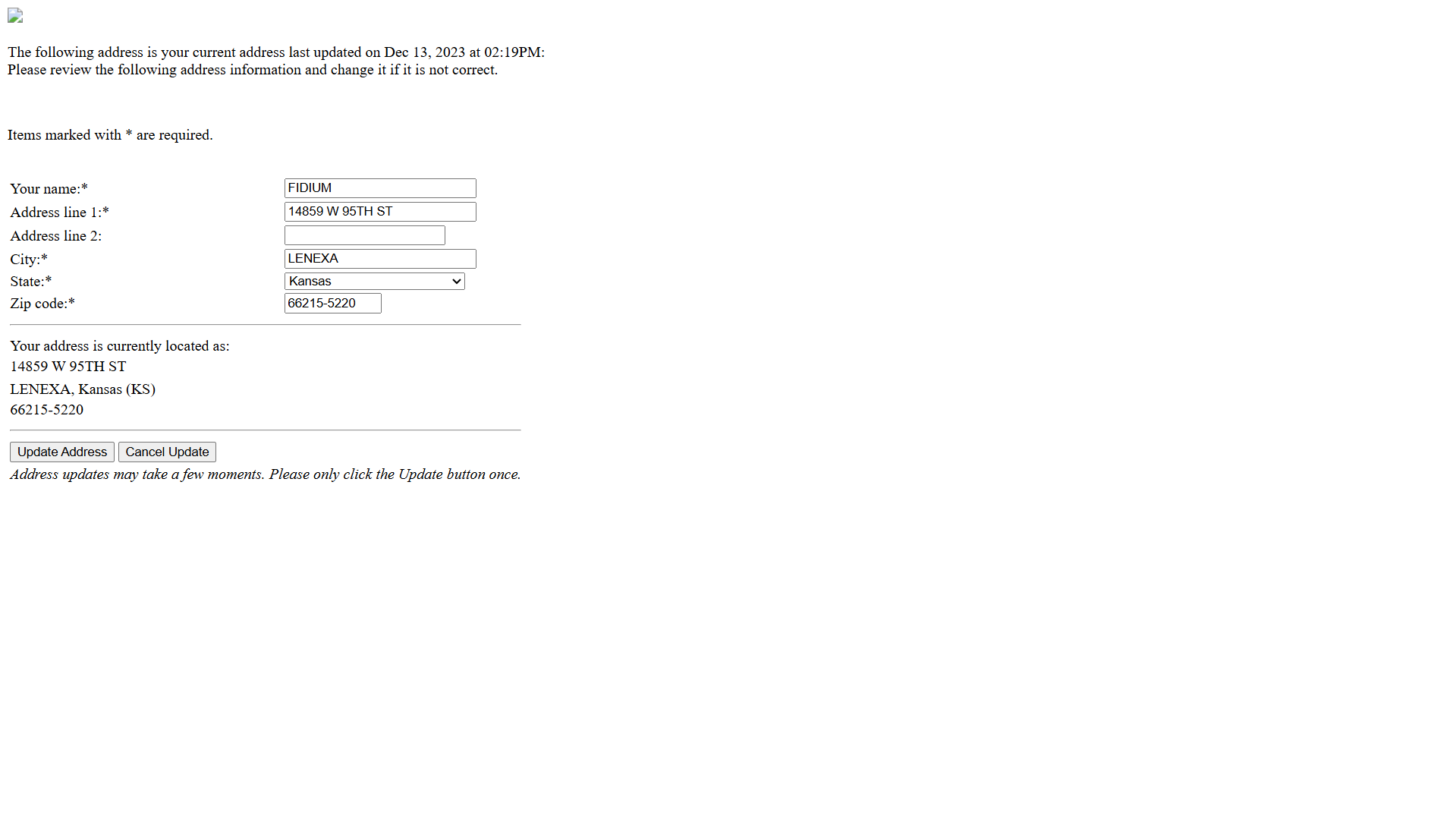
- Review and update your address information as needed. Fields marked with an asterisk are required.
- When complete, click Update Address.
Note: Click the Update Address button only once.