Image
  • Administrators
    • Getting Started
    • Administrators Hub
    • Admin Portal Video Library
    • Admin Portal Guide Library
  • End Users
    • Getting Started
    • End Users Hub
    • User Portal Video Library
    • User Portal Guide Library
  • Business Apps
    • Call Center
    • Broadsoft Thin Client
    • Webex App
    • SMS/MMS
    • Reception Client
    • Business Integrator
    • Advanced Call Reporting
    • Call Recording – Dubber
  • Phones & Voicemail
    • Cisco Phones
    • Poly Phones
    • Voicemail
  • Downloads & Links
  • Webinars
  • Contact Us

Consolidated is now Fidium. Access the latest versions of the portals here.

ProConnect User Portal – Anonymous Call Rejection

Michael HarroldSeptember 17, 2021ProConnect User Portal

  1. Home|
  2. Posts|
  3. End Users Hub|
  4. End Users|
  5. ProConnect User Portal – Guides|
  6. ProConnect User Portal – Anonymous Call Rejection

MENU

  • 1. Manage Anonymous Call Rejection

  • 2. Enable Anonymous Call Rejection

  • 3. Disable Anonymous Call Rejection

Print Friendly, PDF & Email

1.

Manage Anonymous Call Rejection

Anonymous Call Rejection allows you to reject calls from callers who have blocked the display of their number. When activated, your phone will not ring and the caller is informed that you are not accepting calls from unidentified callers. Callers with unavailable numbers are not rejected.

2.

Enable Anonymous Call Rejection

To enable Anonymous Call Rejection, follow these steps:

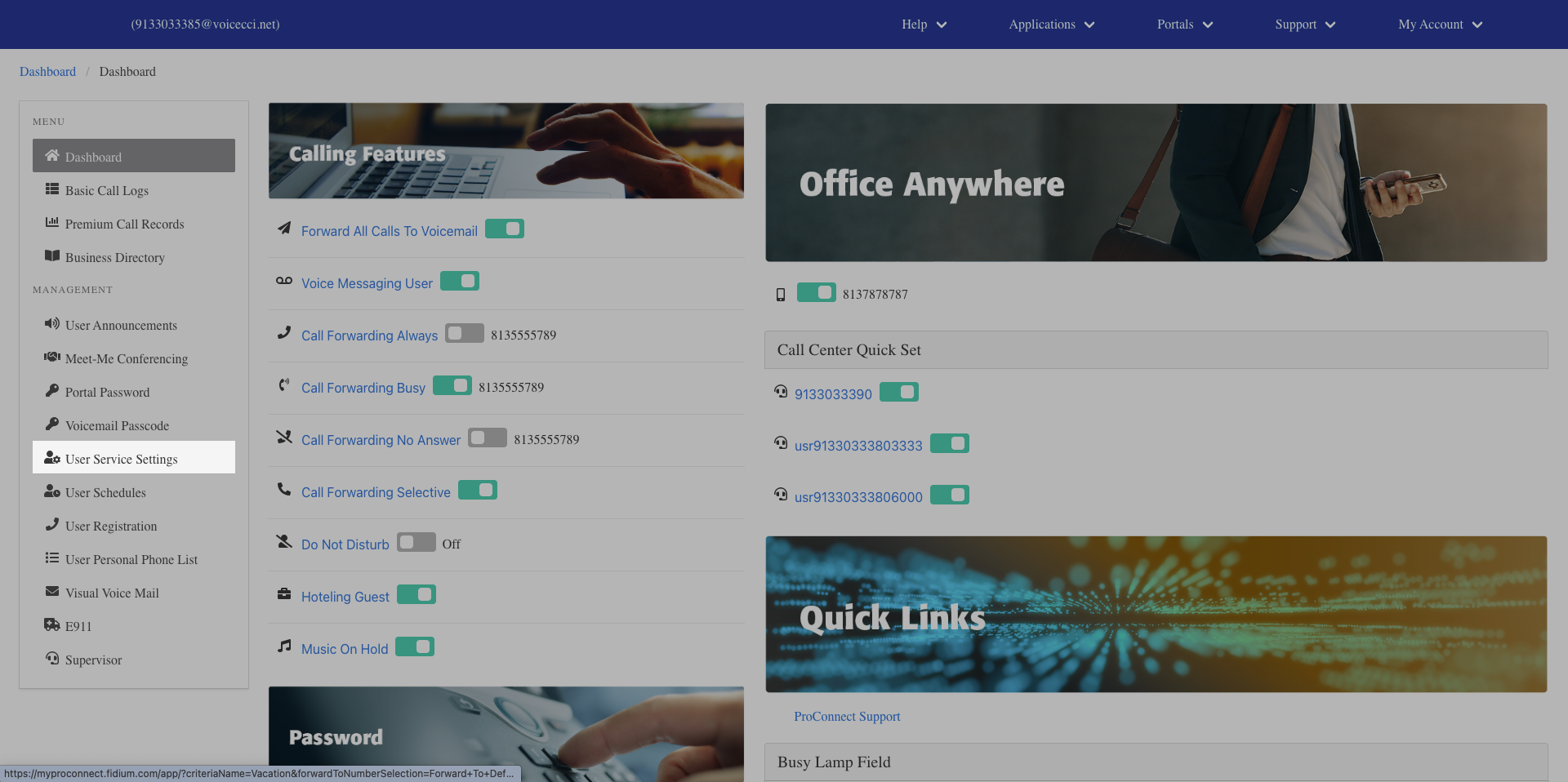
  1. From the dashboard menu, click User Service Settings.
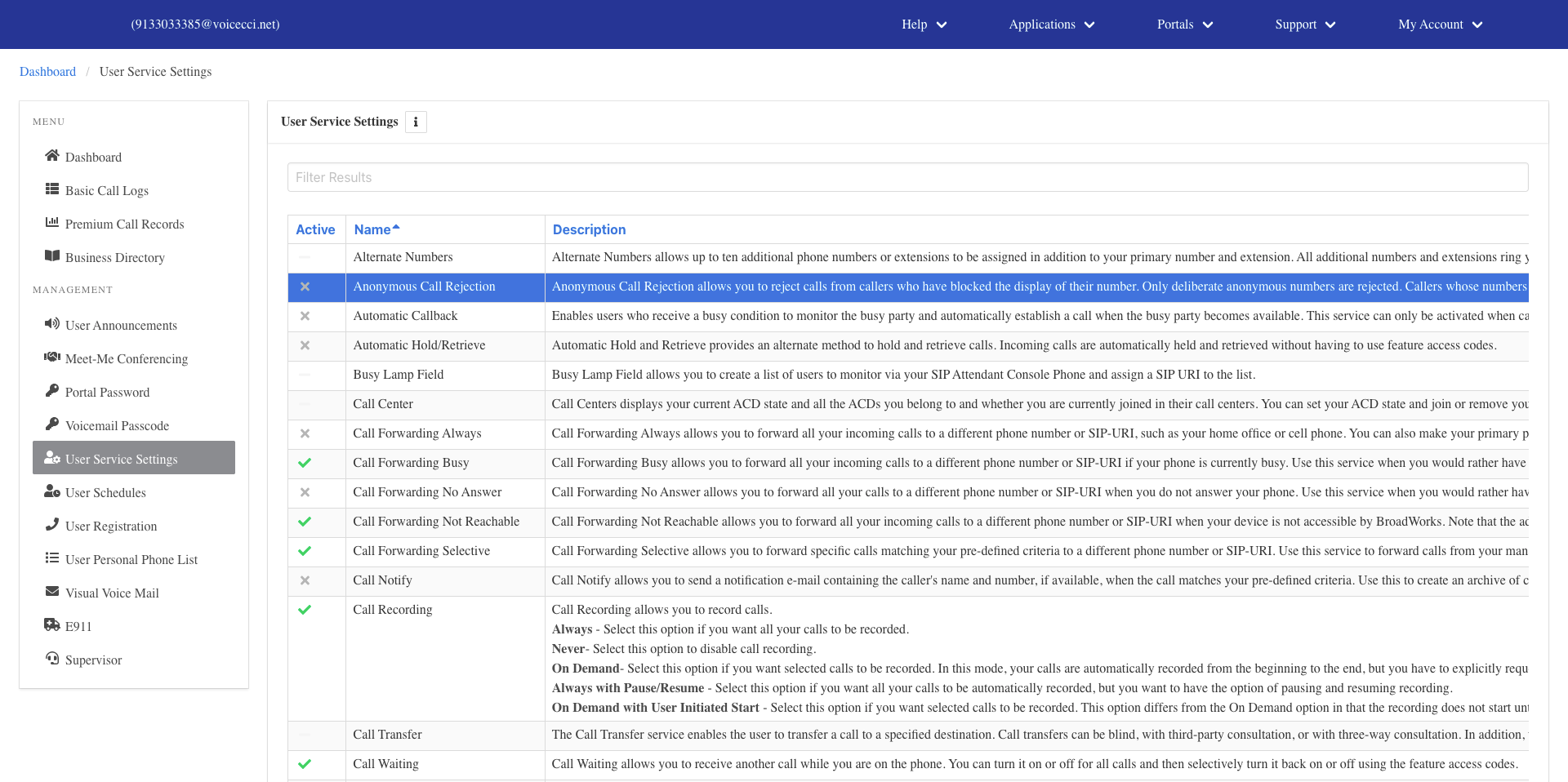
  1. On the Services page, click Anonymous Call Rejection.
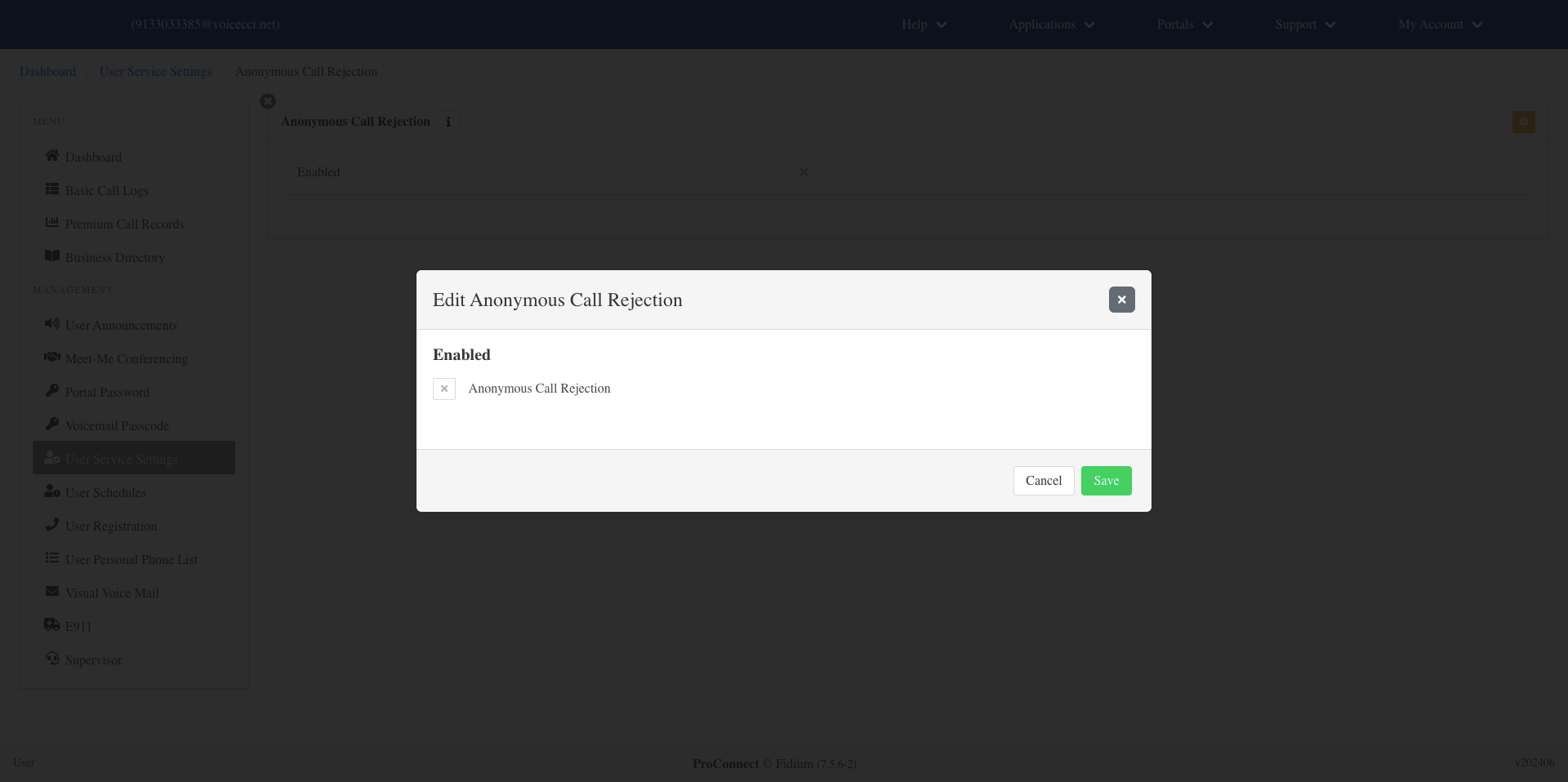
  1. Click the Edit icon in the settings table.
  2. Check the checkbox to activate the feature.
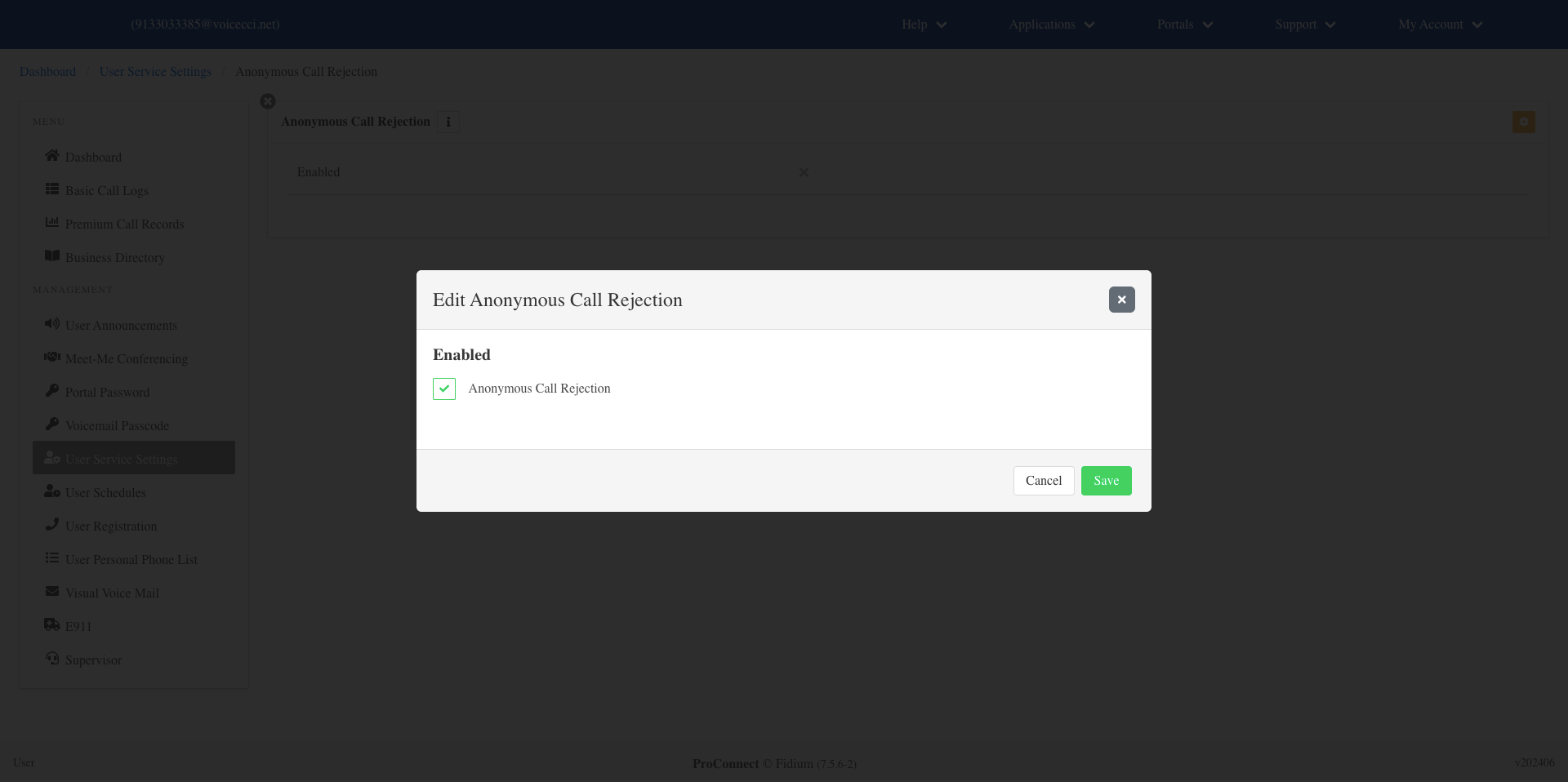
  1. Click Save.

3.

Disable Anonymous Call Rejection

To disable Anonymous Call Rejection, follow these steps:

  1. From the dashboard menu, click User Service Settings.
  2. On the Services page, click Anonymous Call Rejection.
  3. Click the Edit icon in the settings table.
  4. Uncheck the checkbox to deactivate the feature.
  5. Click Save.

Tags:Admin, Admin Portal, Attendants, Auto, Auto Attendants, Call Center, change, conference, conferencing, holiday, Holiday Schedules, Hunt Group, login, meet, meet me, Overview, password, reset, resetting, users

Privacy Policy, Do Not Sell or Share My Personal Information, Notice at Collection, Broadband Consumer Labels and other Terms & Policies. © Fidium. Powered by B-LYNK
  • Home
  • Getting Started
    • Administrator
    • End User
  • Help Topics
    • Administrators
    • Business Apps
    • Phones and Voicemail
  • Downloads & Links
  • Webinars
  • Contact Us