

1.
Manage Busy Lamp Field
The Busy Lamp Field feature allows you to monitor the status of specified users via your SIP Attendant Console phone. You can view whether monitored users are active or inactive, and configure call park notifications for their lines.
2.
Configure Busy Lamp Field
To configure Busy Lamp Field, follow these steps:
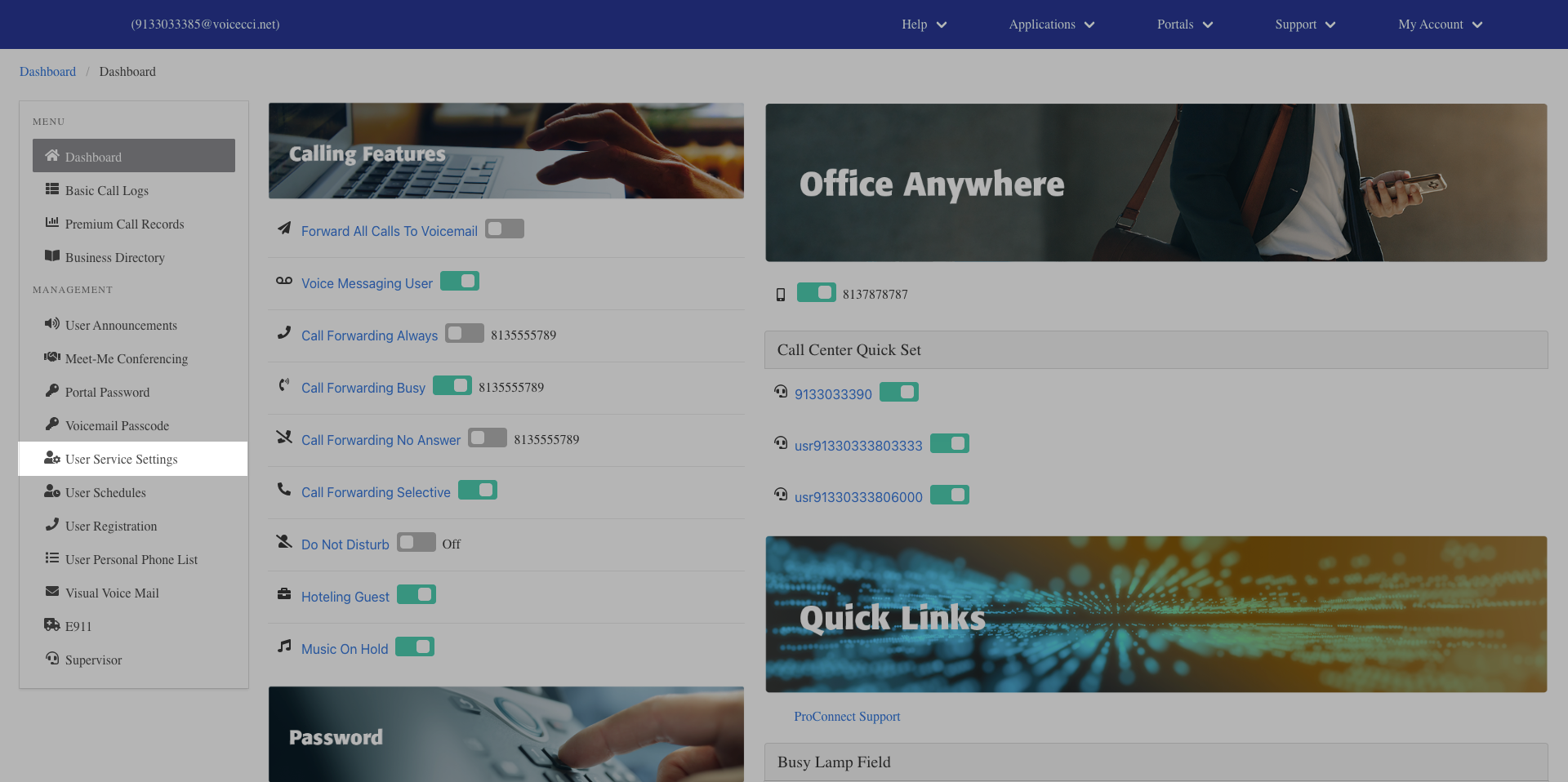
- From the dashboard menu, click User Service Settings.
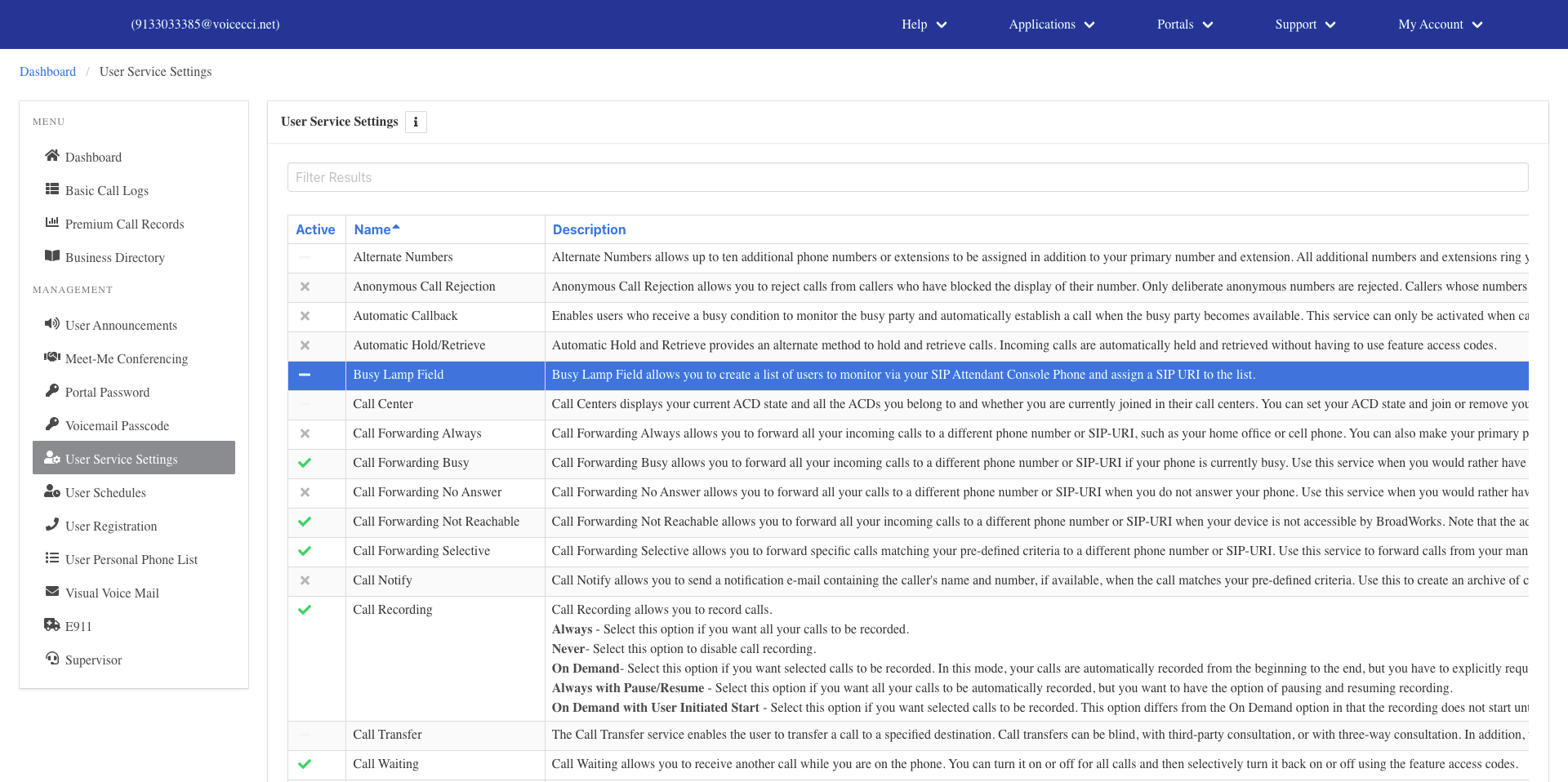
- On the Services page, click Busy Lamp Field.
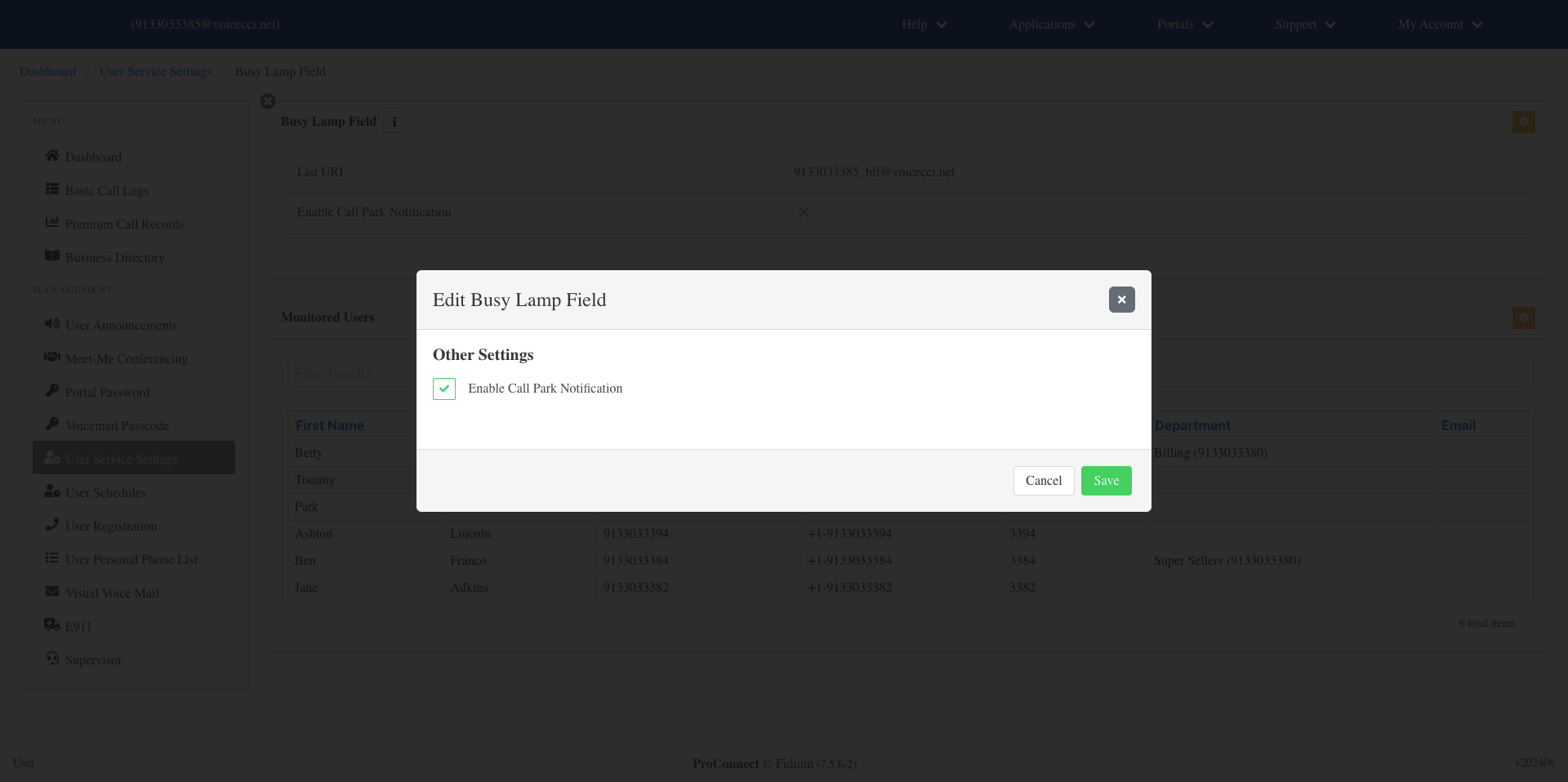
- Click the Edit icon in the Busy Lamp Field table.
- Check Enable Call Park Notification if you would like monitored users to be notified of calls parked on their line.
- Click Save.
3.
Select Monitored Users
To select the users you would like to monitor, follow these steps:
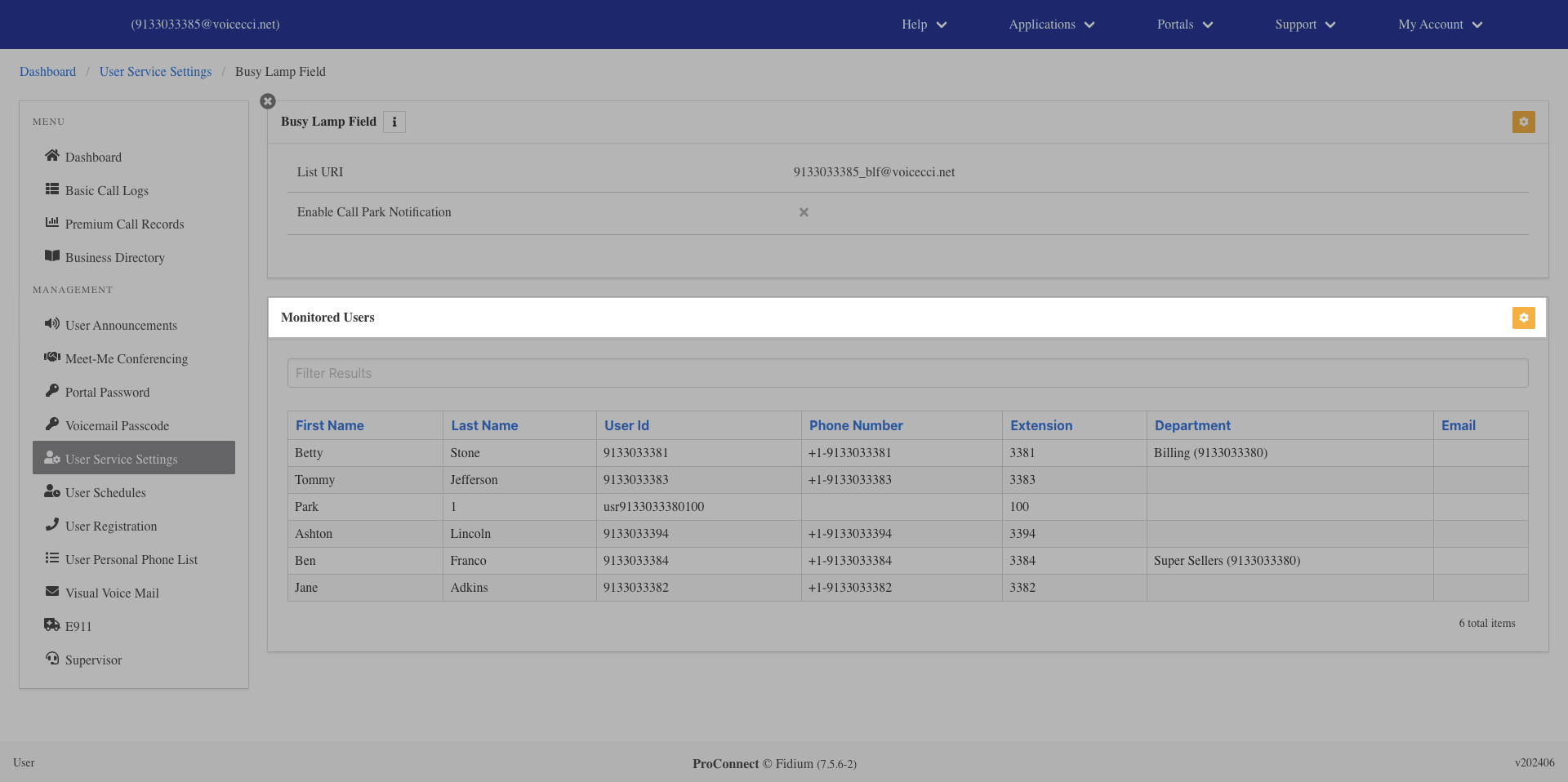
- From the Busy Lamp Field configuration page, click the Edit icon in the Monitored Users table.
- From the Available list on the left, select the users you want to monitor. Selected users will appear in the Selected list on the right.
- Click Save.