1.
Manage Call Forwarding Always
Call forwarding is a phone management feature that redirects incoming calls to an alternate number, such as a cell phone, home phone, or a colleague's number.
Call Forwarding Always forwards all incoming calls to a destination you choose.
2.
Enable Call Forwarding Always
To forward all incoming calls to another number, follow these steps:
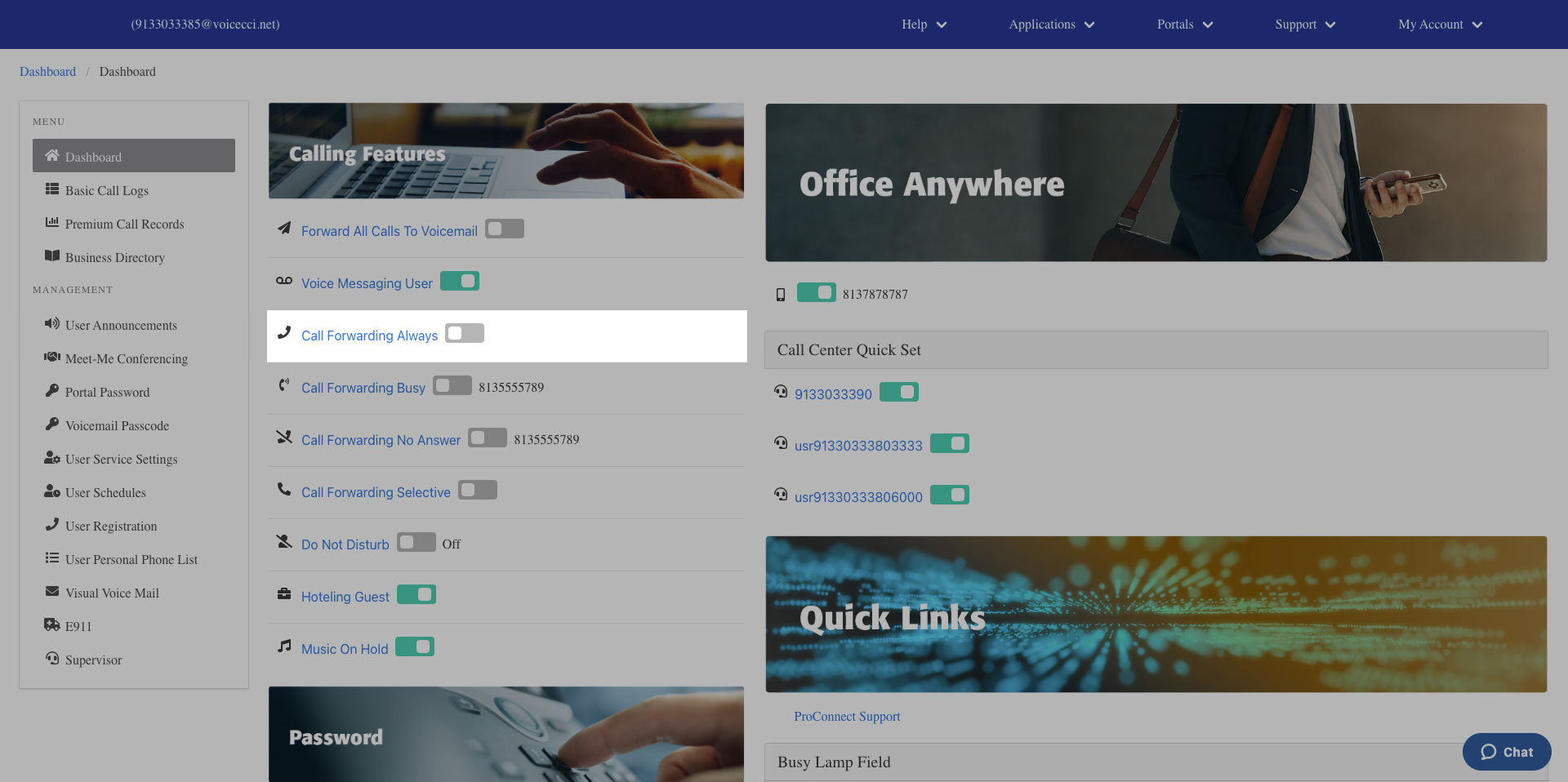
- From the main dashboard, under the Calling Features panel, click the Call Forwarding Always hyperlink.
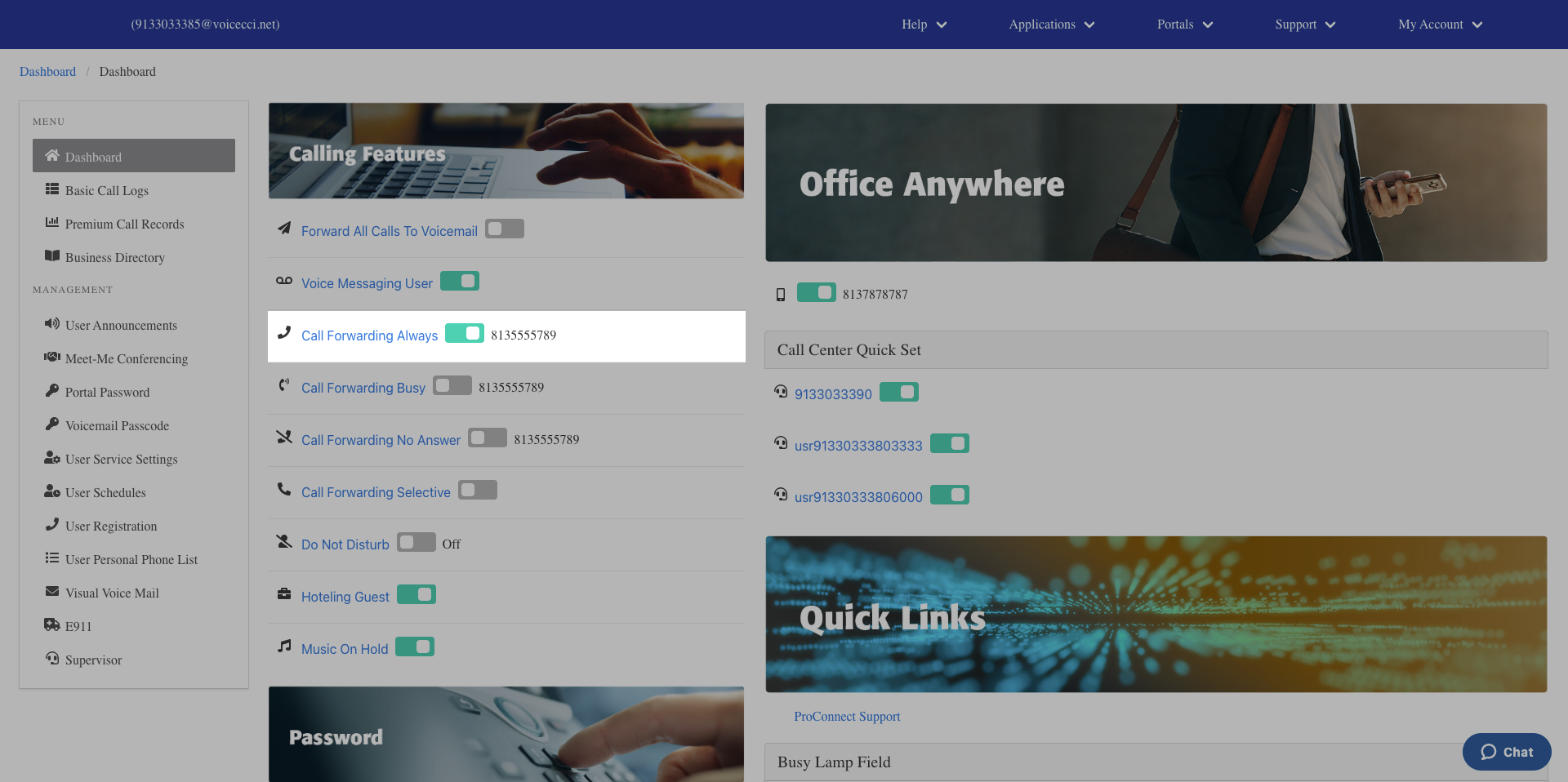
- In the General Settings section, check the Is Active checkbox to activate the feature.
- (Optional) Check the Is Ring Splash checkbox to enable a Ring Reminder. When enabled, a brief tone will play on your desktop phone when a call is forwarded.
- Enter a valid 10-digit phone number or extension to forward your calls to.
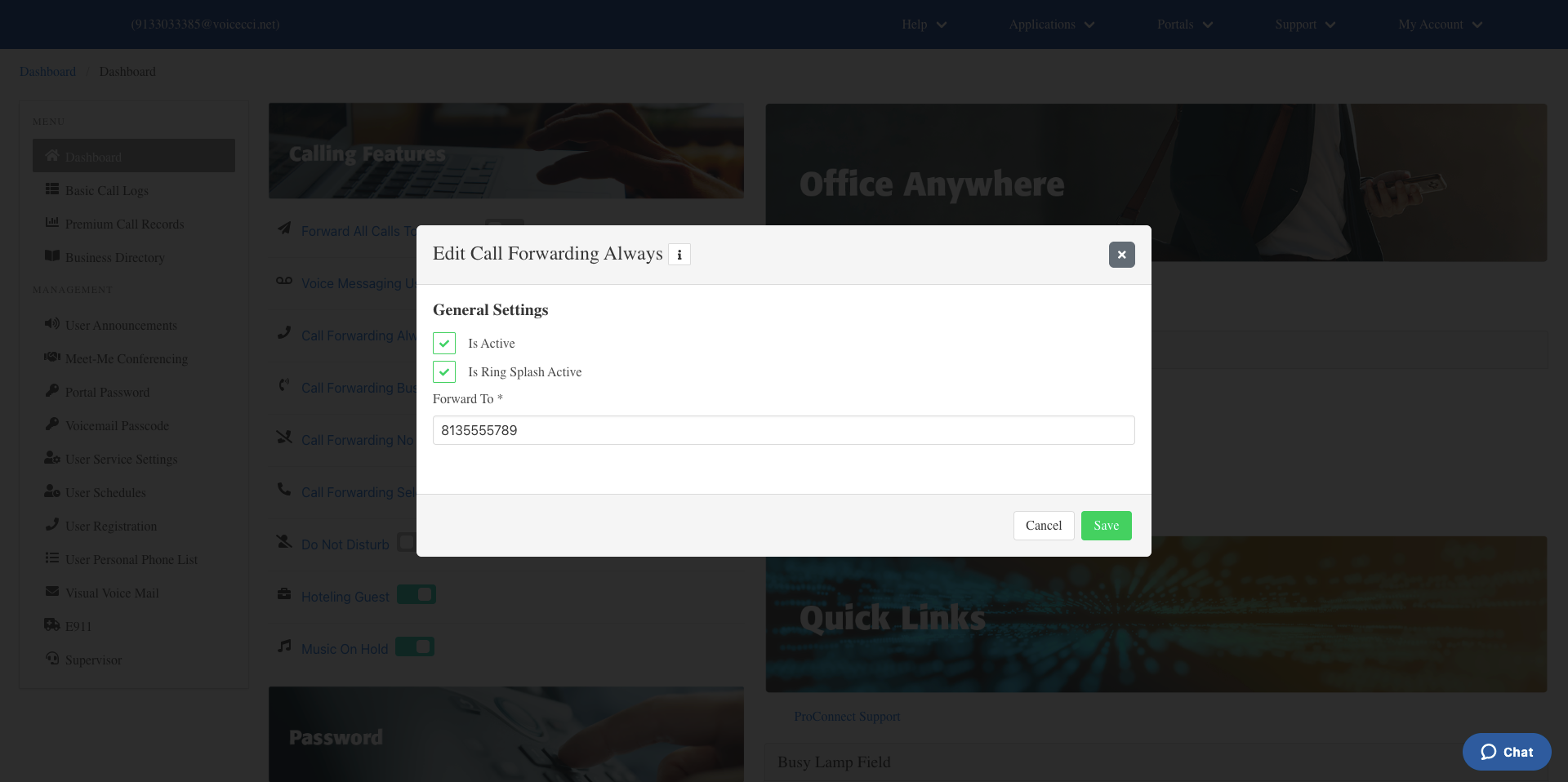
- Click Save.
3.
Disable Call Forwarding Always
To disable call forwarding always, follow these steps:
- From the main dashboard, under the Calling Features pane, locate Call Forwarding Always.
- Click the Call Forwarding Always toggle to turn it off. Incoming calls will return to normal.