1.
Manage Call Forwarding Busy
Call forwarding is a phone management feature that redirects incoming calls to an alternate number, such as a cell phone, home phone, or a colleague's number.
Call Forwarding Busy forwards calls when you are busy to the destination of choice.
2.
Enable Call Forwarding Busy
To forward all incoming calls to another number when your line is busy, follow these steps:
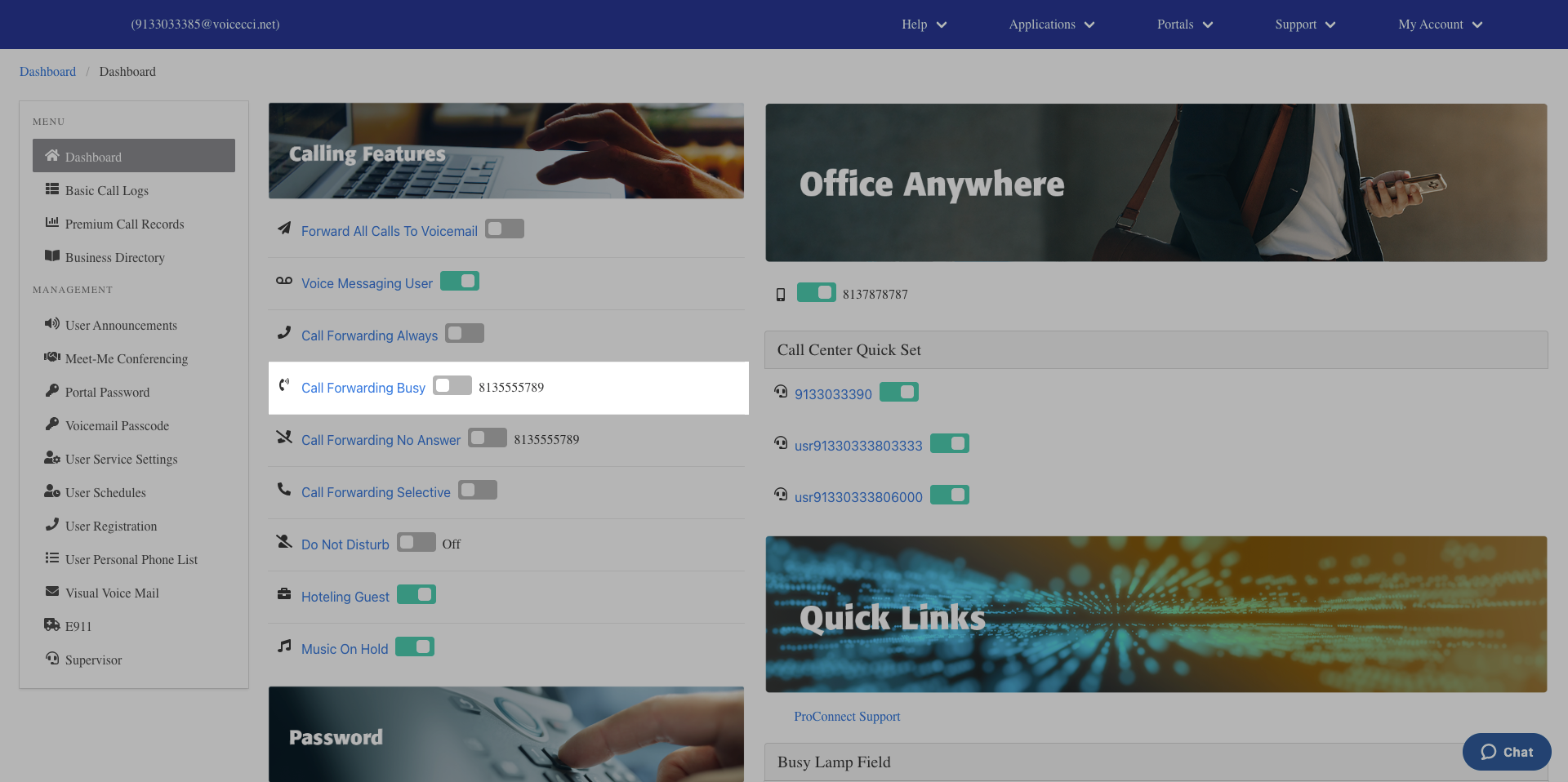
- From the main dashboard, under the Calling Features panel, click the Call Forwarding Busy hyperlink.
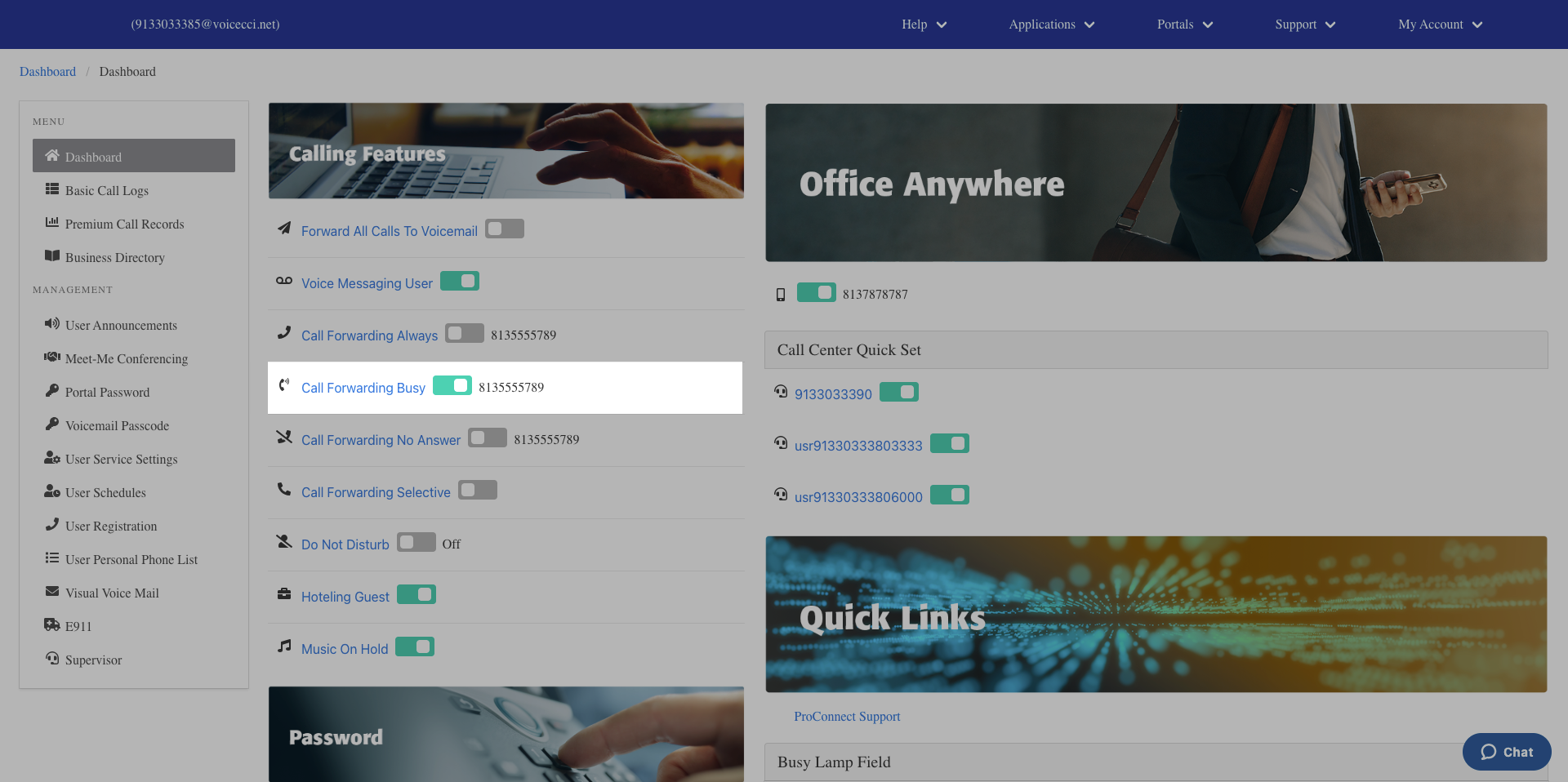
- In the General Settings section, check the Is Active checkbox to activate the feature.
- Enter a valid 10-digit phone number or extension to forward your calls to.
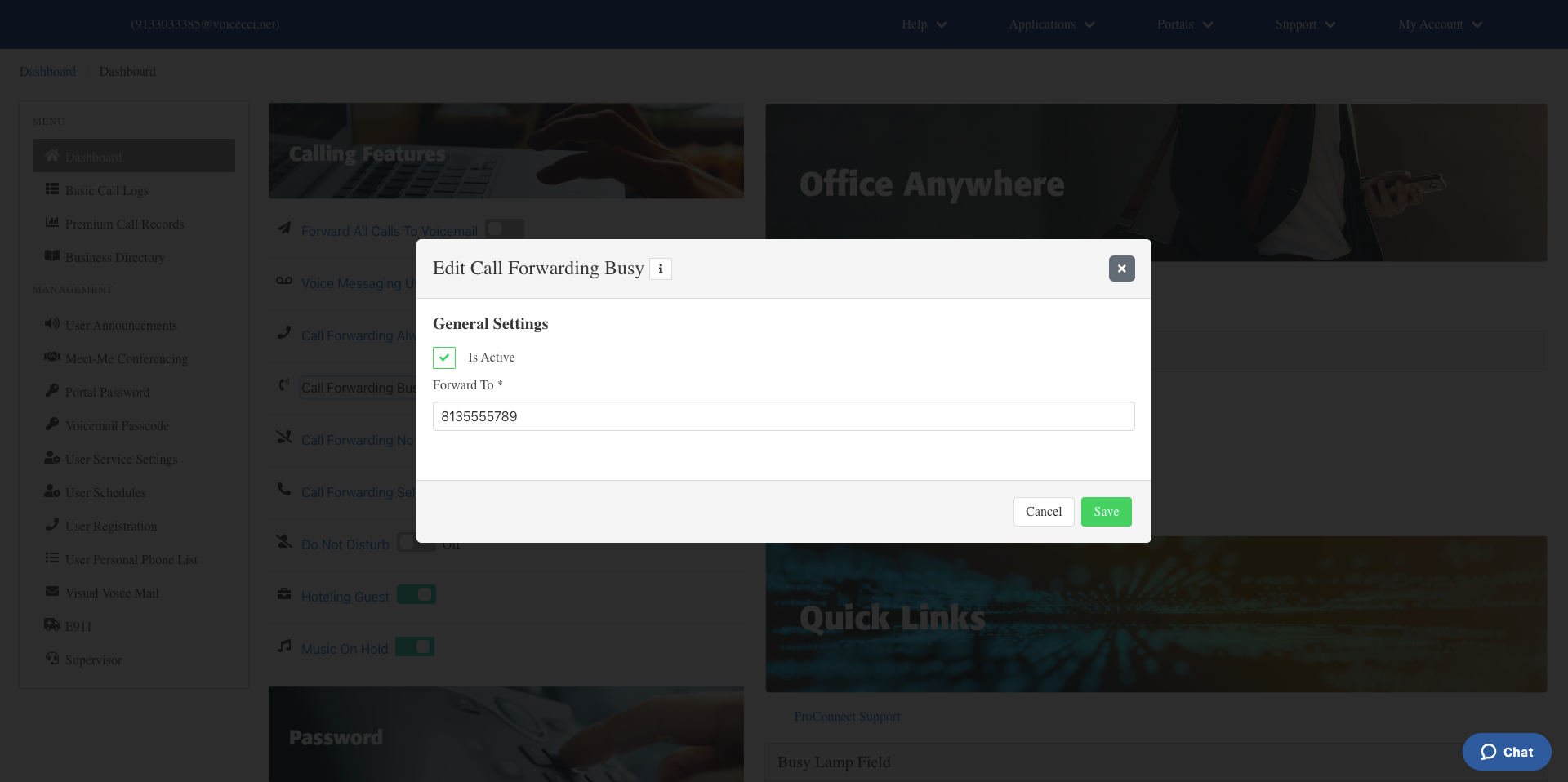
- Click Save.
3.
Disable Call Forwarding Busy
To disable call forwarding busy, follow these steps:
- From the main dashboard, under the Calling Features pane, locate Call Forwarding Busy.
- Click the Call Forwarding Busy toggle to turn it off. Incoming calls will return to normal.