

1.
Manage Call Transfers
The Call Transfer service allows you to transfer a call to a specified destination. Call transfers can be blind, with third-party consultation, or with three-way consultation. The Busy Camp On and Call Transfer Recall features allow you to camp a call on a busy destination and be recalled if the transferred call is not answered.
2.
Configure Call Transfer
To configure Call Transfer, follow these steps:
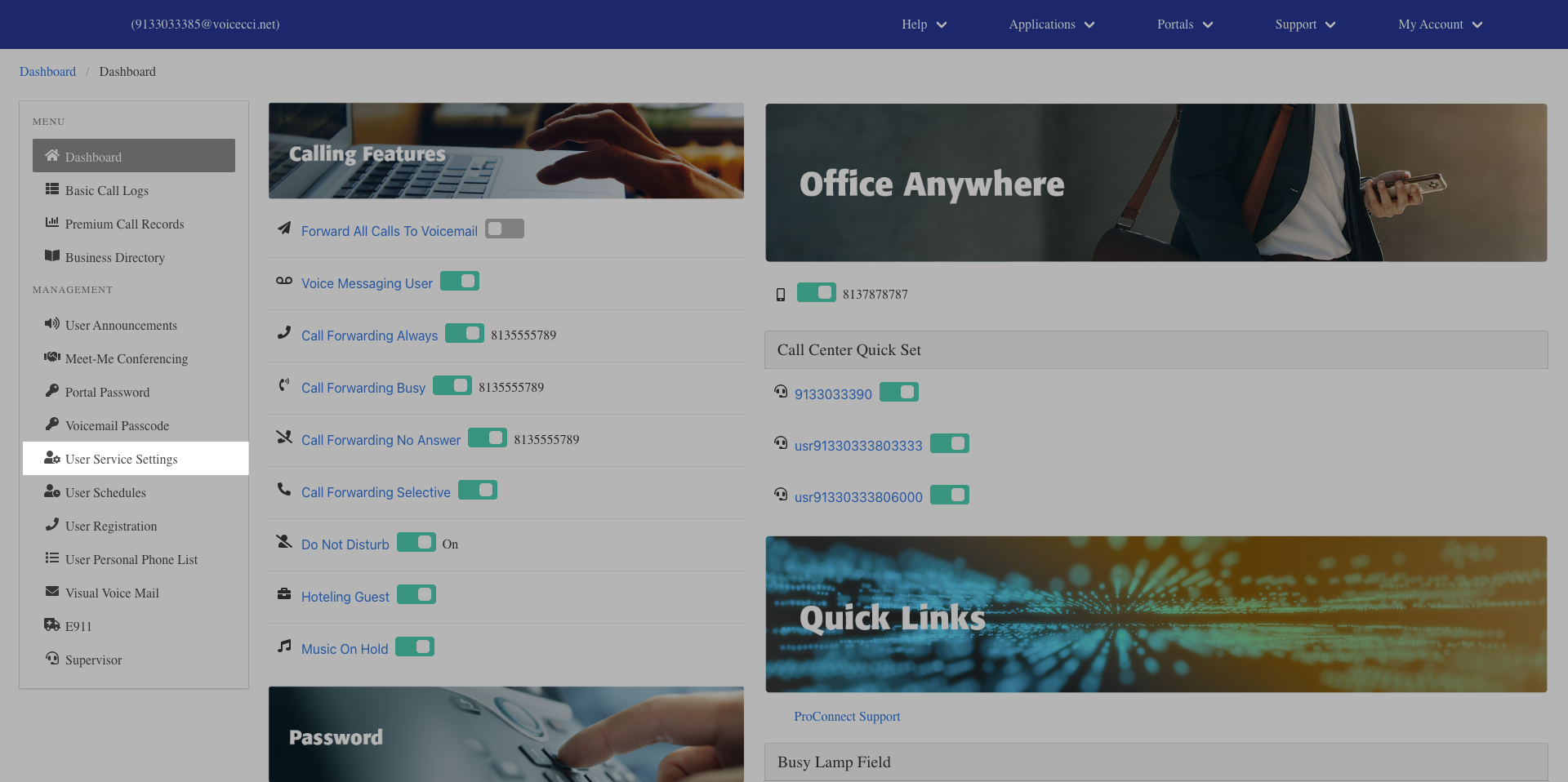
- From the dashboard menu, click User Service Settings.
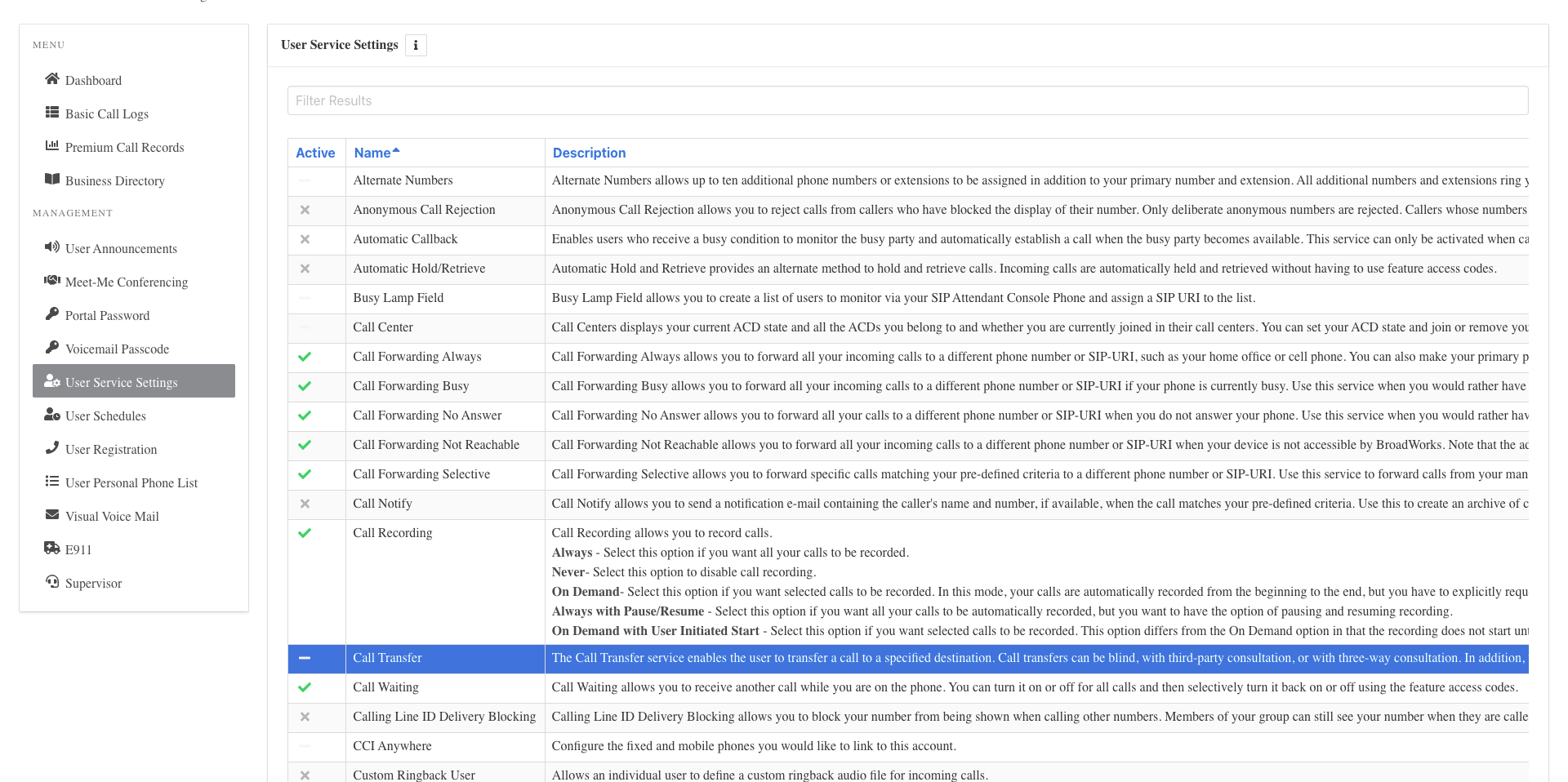
- On the Services page, click Call Transfer.
- Click the Edit icon in the Call Transfer table.
- In the General Settings section, check the checkbox next to each feature setting you want to enable.
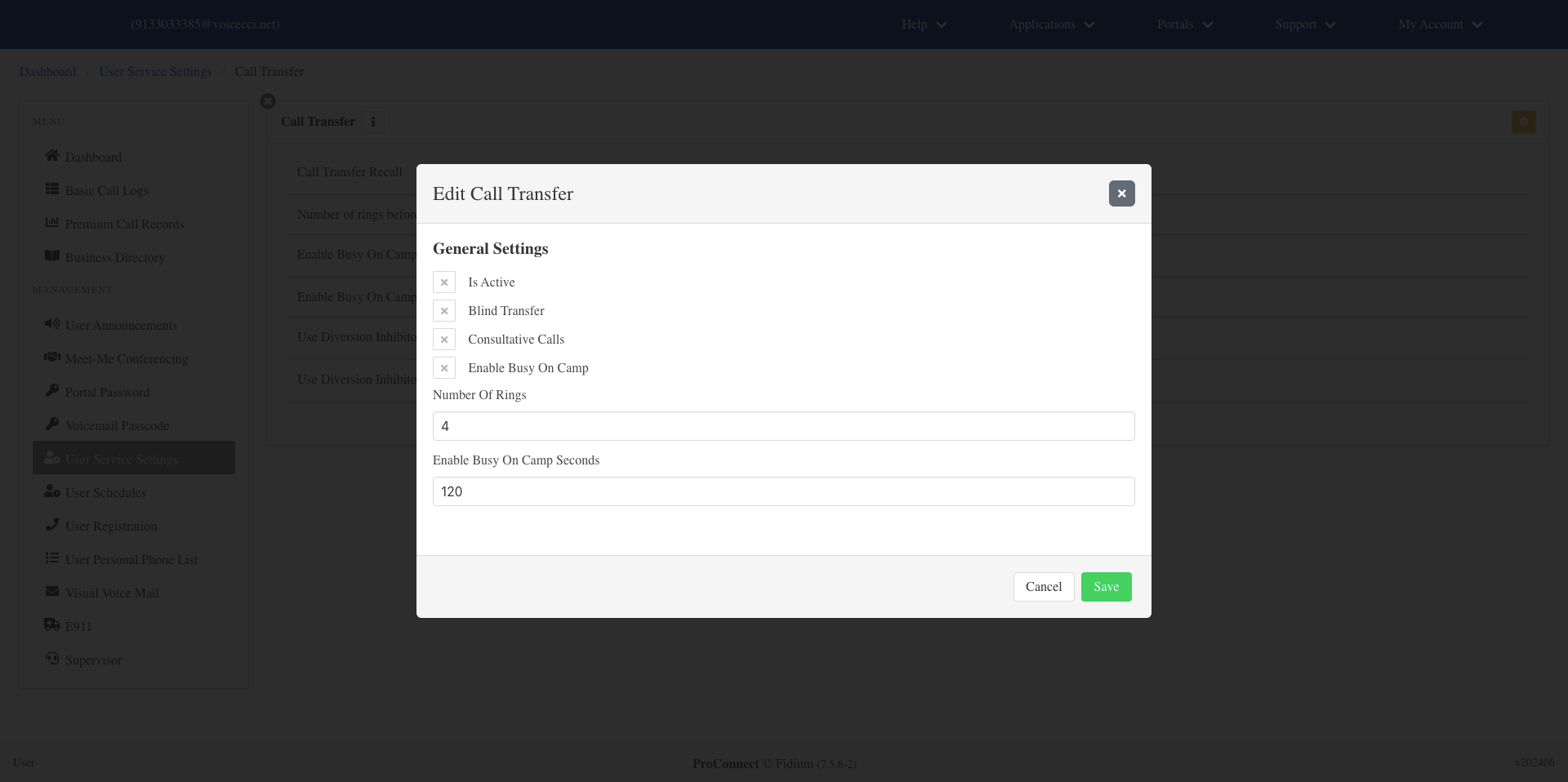
- Enter the number of rings for the call transfer.
- Enter the number of seconds for Enable Busy Camp On Seconds. If you do not want to enable this feature, enter 0.
- Click Save.