

1.
Manage Call Waiting
Call Waiting notifies you of an incoming call while you are already on the phone, giving you the opportunity to end the existing call and answer the incoming one.
2.
Configure Call Waiting
To configure Call Waiting, follow these steps:
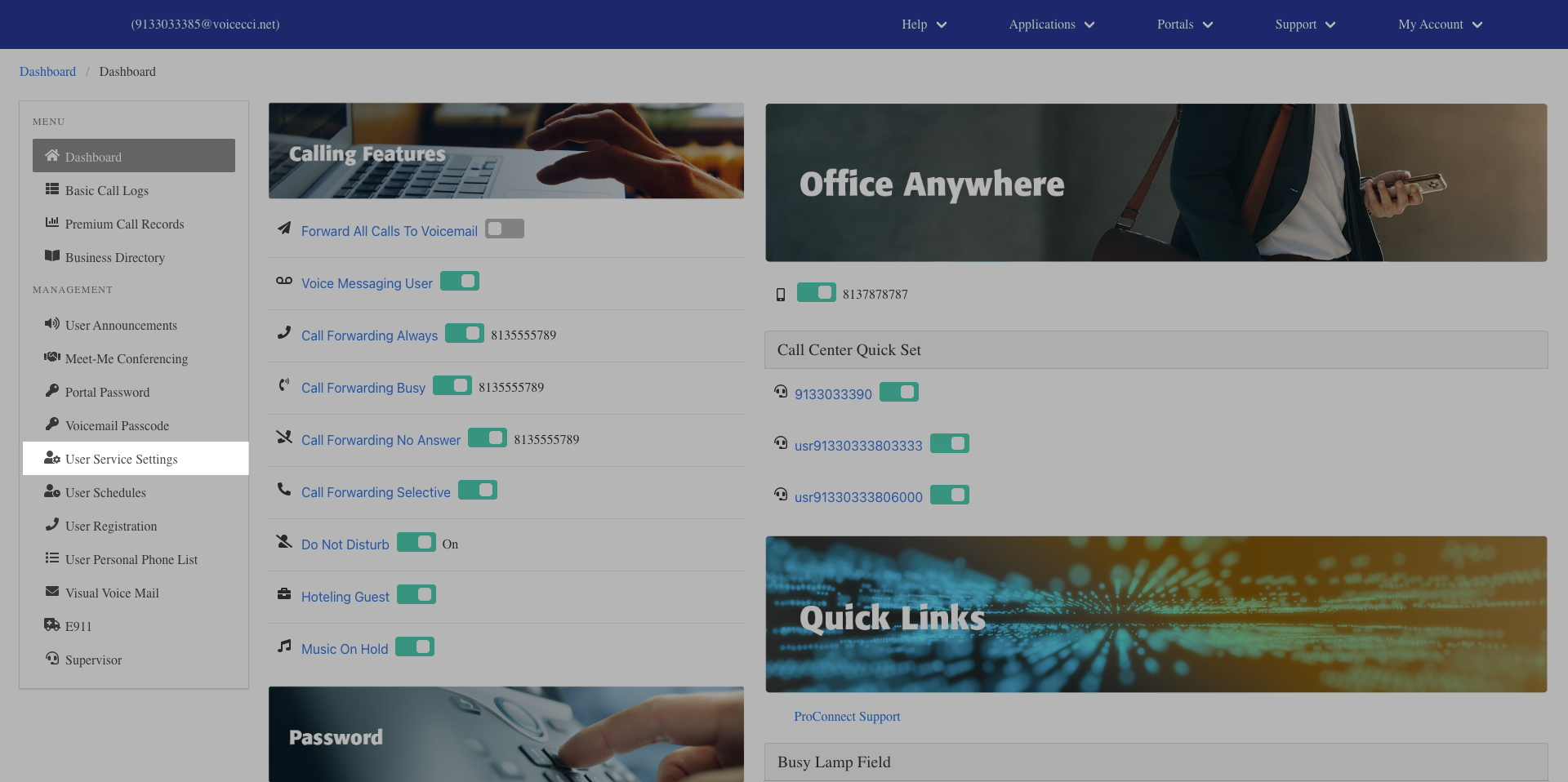
- From the dashboard menu, click User Service Settings.
- On the Services page, click Call Waiting.
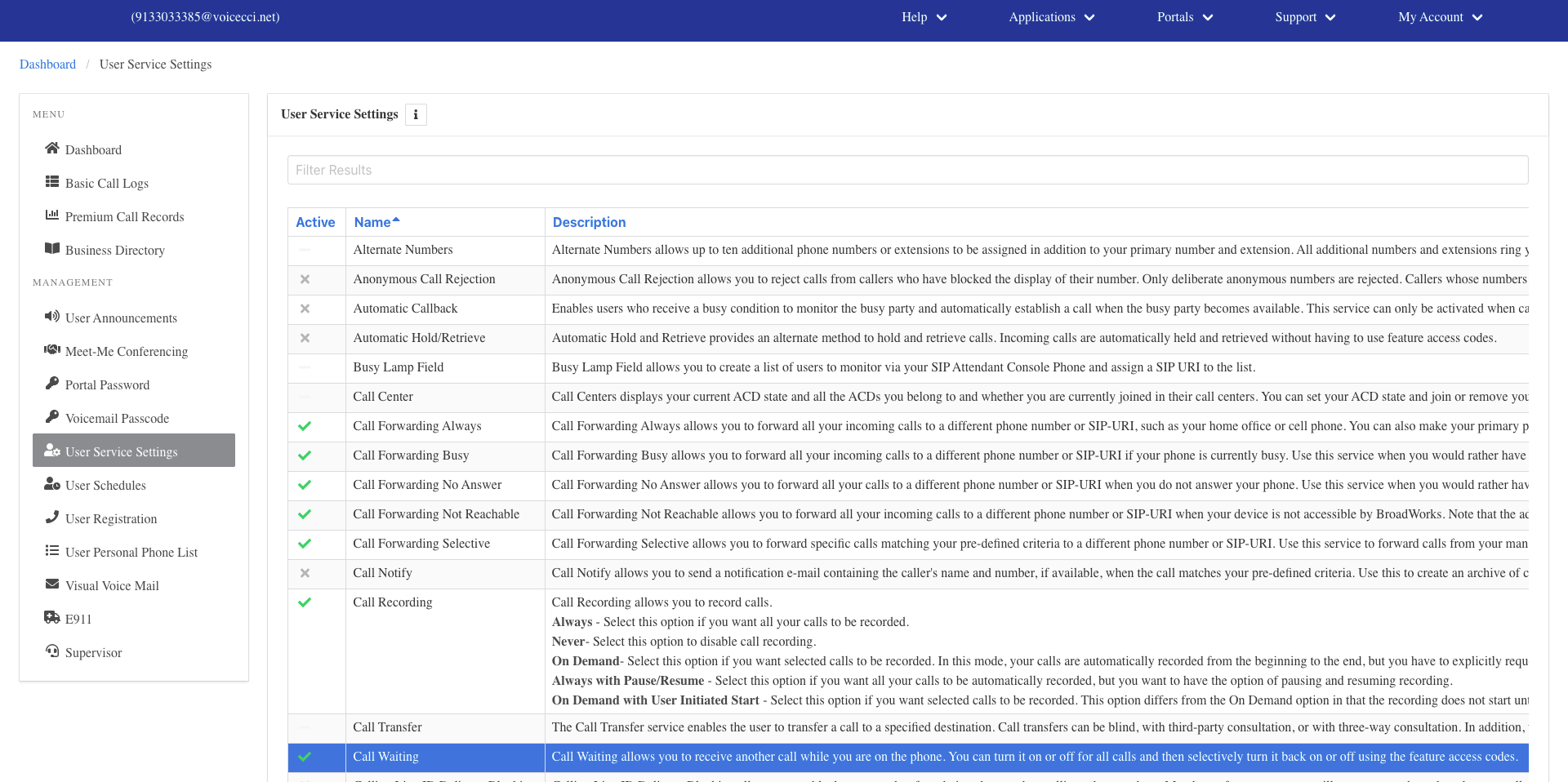
- Click the Edit icon in the Call Waiting table.
- Check the Is Active checkbox to enable the feature.
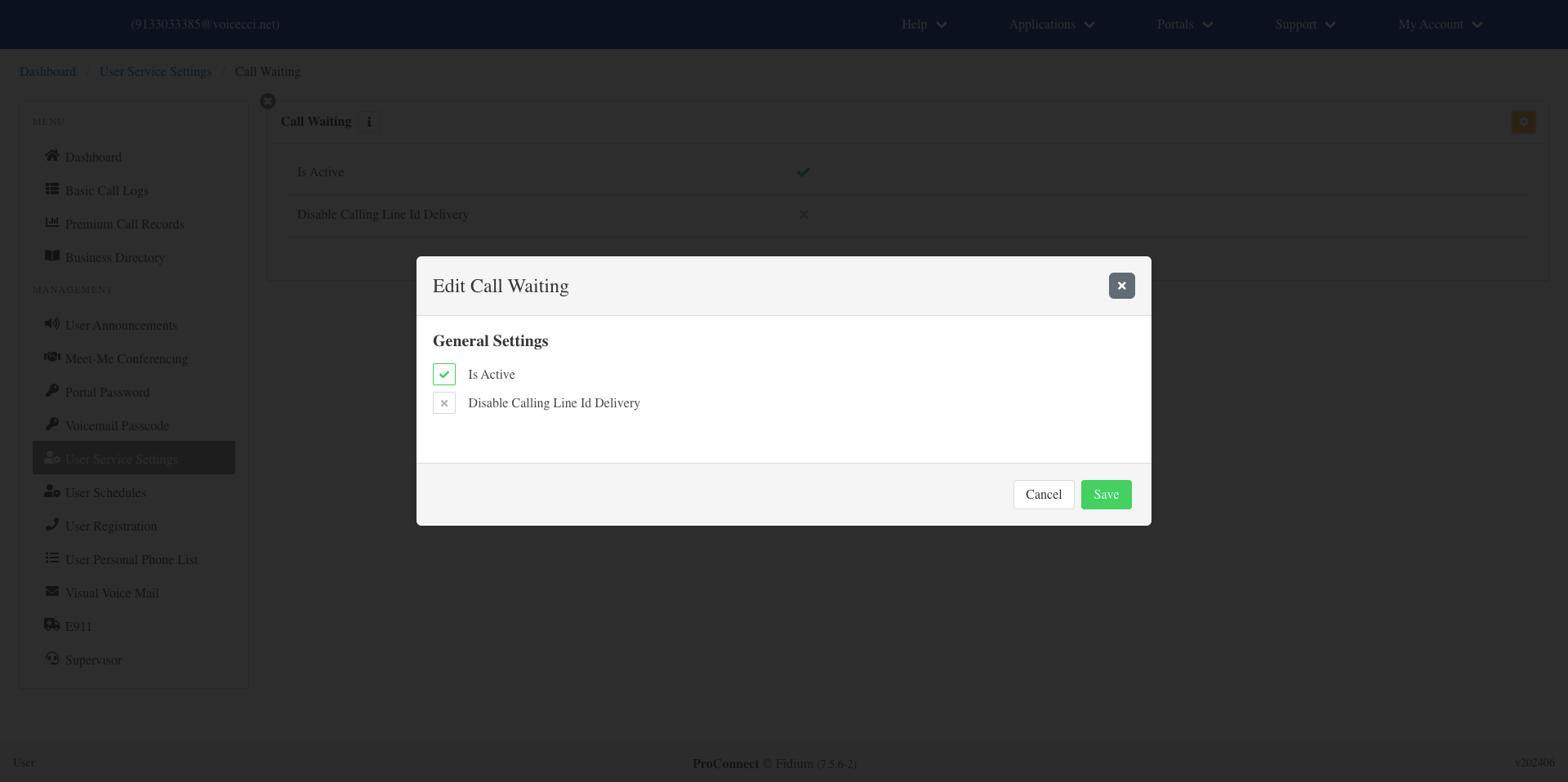
- Optionally, check the Disable Calling Line ID Delivery checkbox to disable Calling Line ID delivery.
- Click Save.