

1.
Manage Speed Dial 8
Speed Dial allows you to place a call by pressing a reduced number of keys instead of dialing the entire phone number. Speed Dial 8 allows you to set up to 8 speed dial numbers that can be called with the push of a button.
2.
Configure Speed Dial 8
To configure Speed Dial 8, follow these steps:
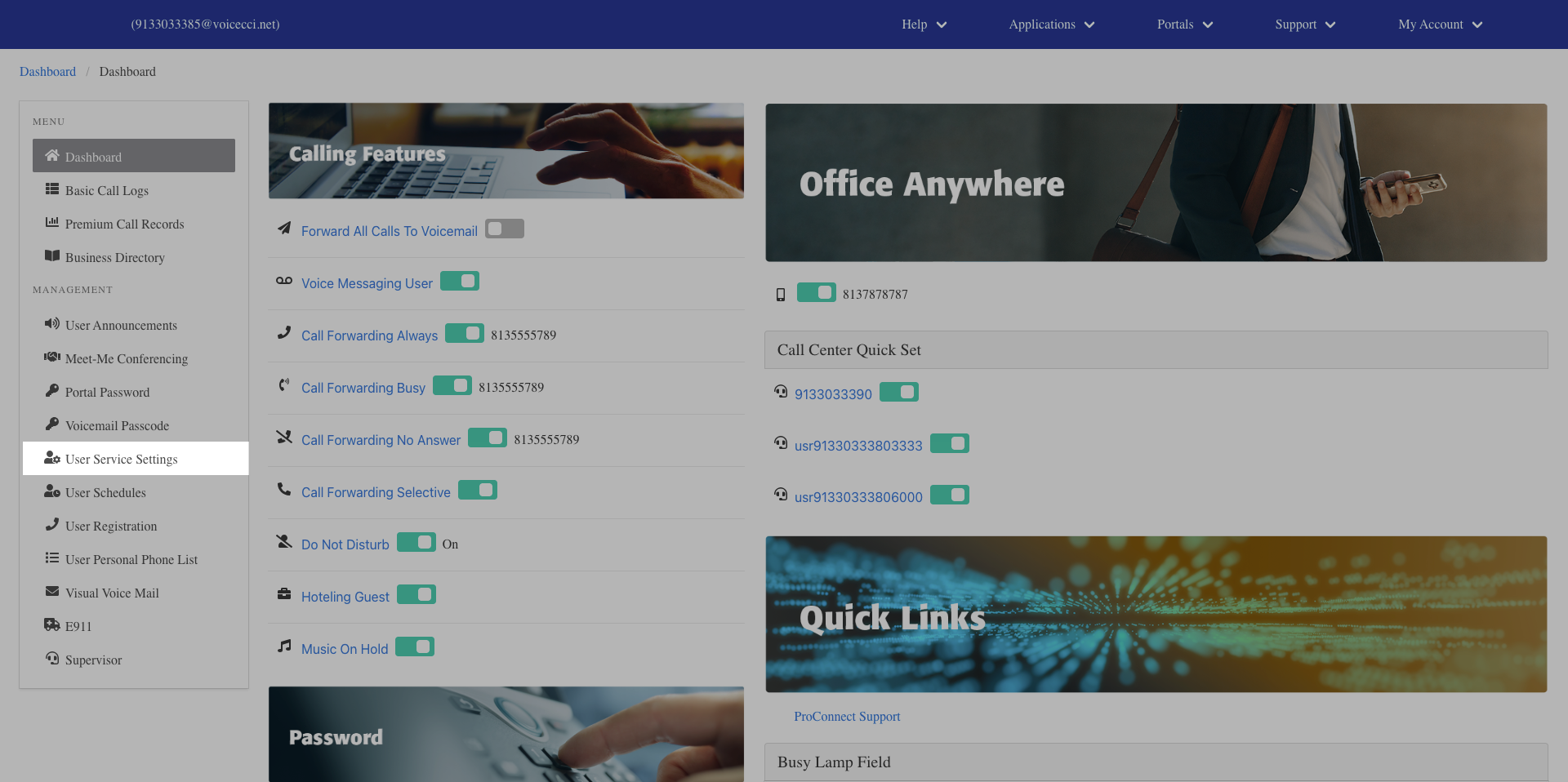
- From the dashboard menu, click User Service Settings.
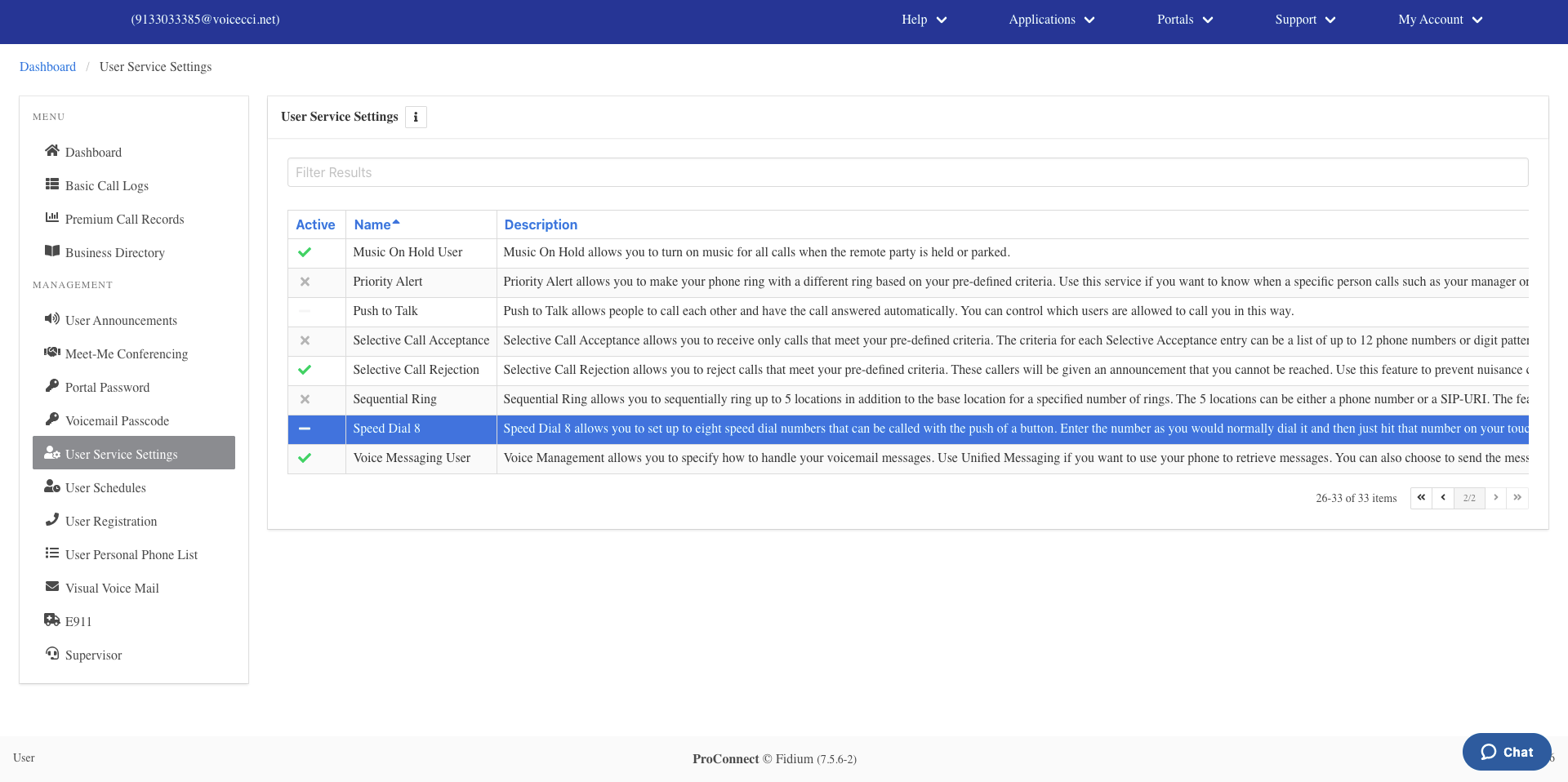
- On the Services page, click Speed Dial 8.
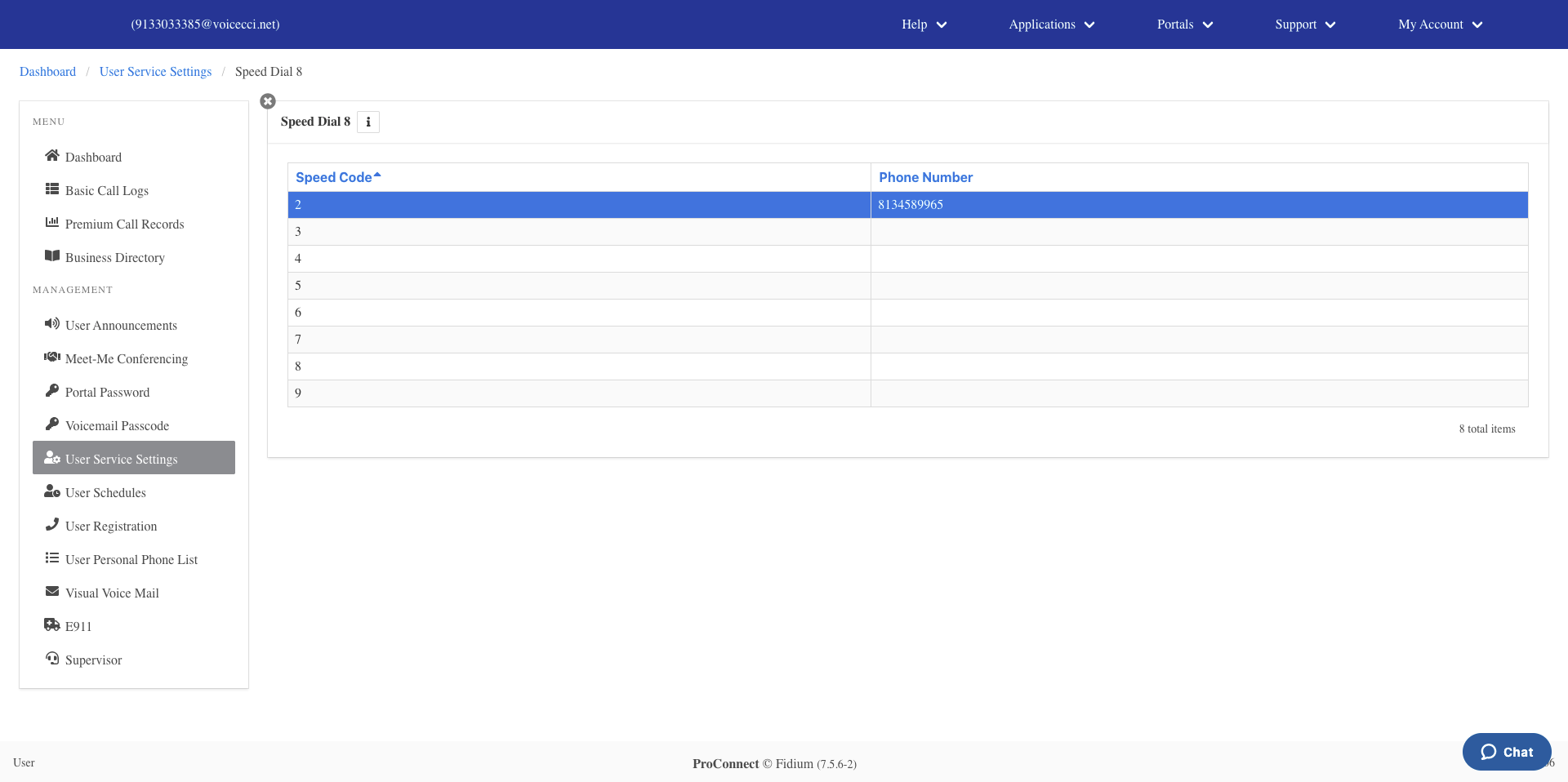
- In the Speed Dial 8 table, click the speed dial entry you want to configure.
- Enter a valid 10-digit phone number in the Number field.
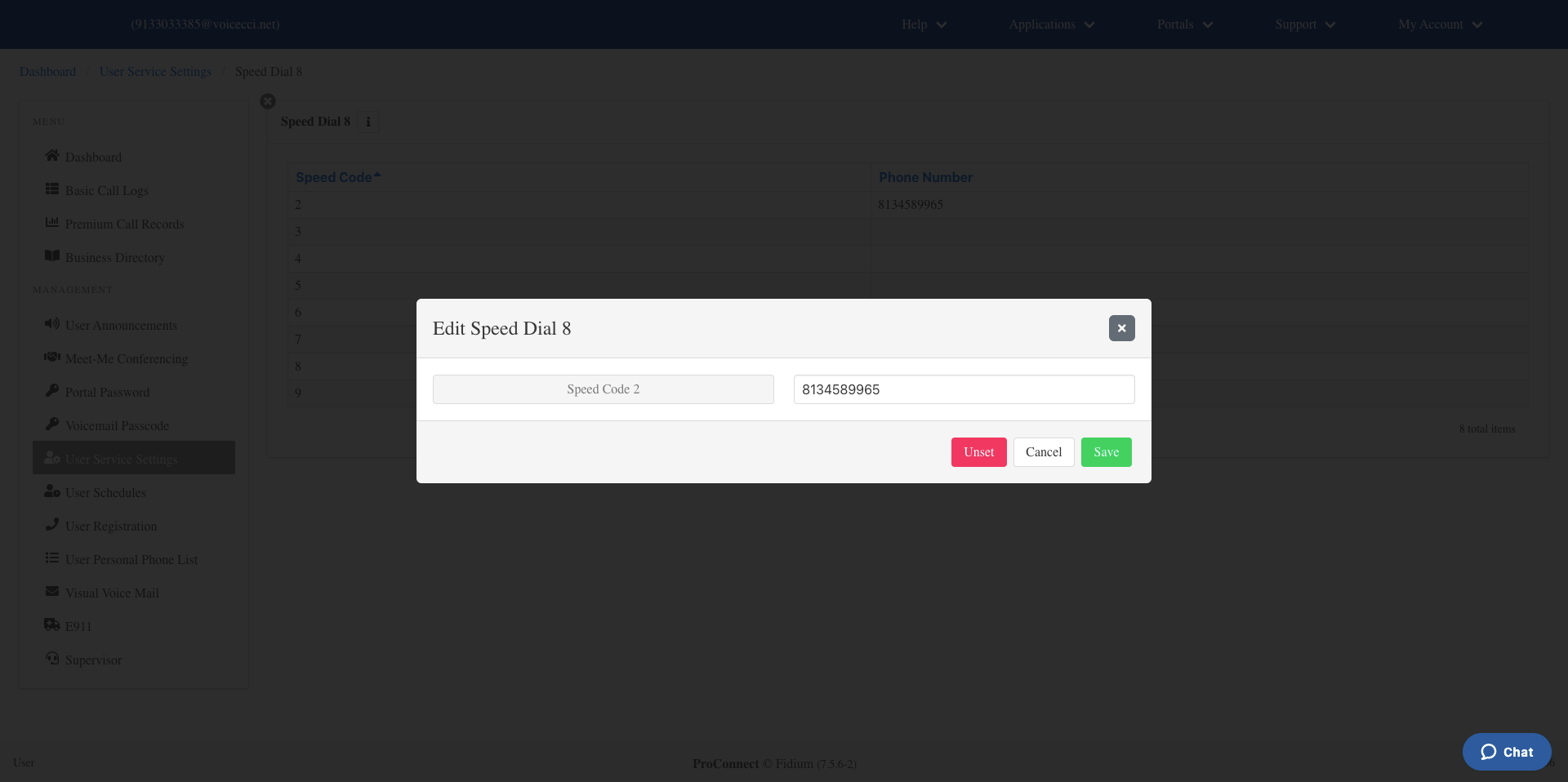
- Click Save.